LairBear Corner Booth v.4
Replies

I'm having trouble finding where to plug those in?
Life is short... Count your Blessings, Love your family and friends and lend a helping hand whenever you can!
R.I.P. Karen Garvin, beloved sister. Tom Garvin, beloved father. Jo Garvin, beloved mother., Donna Honeycutt, baby sister

I edited my post but I think you'll find a wall of profile style text if you click to edit the box called "Thanks Sync" (it's in the left column near the bottom, above the Pets box).
From there you should be able to scroll through to find the photobucket links (I hope!).

[font=tahoma]Art by , gifted by || Signature icon by MidnightShadow[/font]
Holy moly! THere is nothing that says THanks Sync on my edit menu???? When I click on any of the items listed on that menu nothing happens.
Life is short... Count your Blessings, Love your family and friends and lend a helping hand whenever you can!
R.I.P. Karen Garvin, beloved sister. Tom Garvin, beloved father. Jo Garvin, beloved mother., Donna Honeycutt, baby sister
It might be a bit hard to see since the replacement photobucket placeholder image is obscuring it a bit.
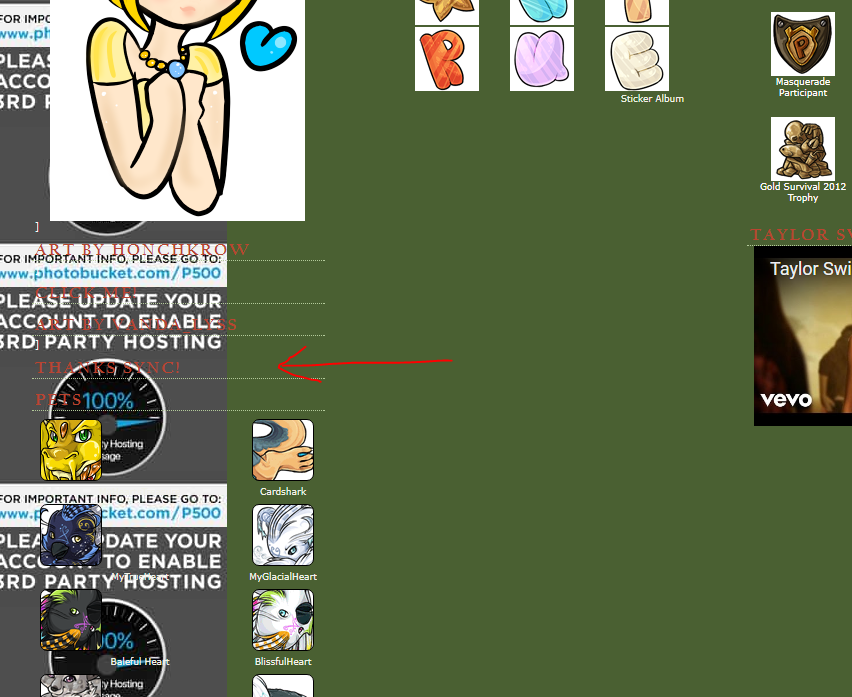
[edit]
Remember, you have to go to your profile and click the "Edit Your Profile" link in the top left before any of the boxes will show up with the edit pencil image or the red delete circle beside them.
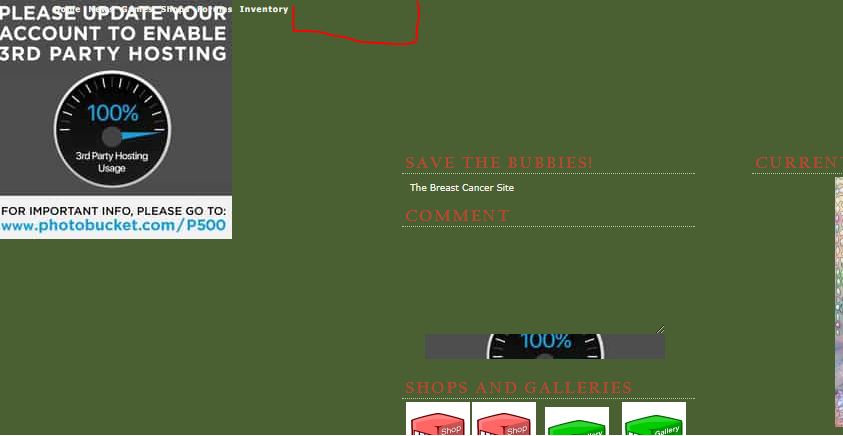 The "Edit Your Profile" link should be there for you when you visit your profile page (https://subeta.net/users/ATrueHeart)
[font=tahoma]Art by , gifted by || Signature icon by MidnightShadow[/font]
Yikes! I think I deleted that! Main thing I wanted back was the background picture. I can do without the rest. I can't find anything that has code that I can replace.
Life is short... Count your Blessings, Love your family and friends and lend a helping hand whenever you can!
R.I.P. Karen Garvin, beloved sister. Tom Garvin, beloved father. Jo Garvin, beloved mother., Donna Honeycutt, baby sister
If you deleted that box, then you also deleted all your profile code. :(
If you have the info that whoever coded/made your profile gave you originally, you should be able to re-copy it into a new profile block.
Otherwise, a new profile block is where you'd enter the code for a SubetaLodge profile. c:
[edit] Or someone who knows coding can use the imgur links from my previous post to make you style code to get the background back - I'm really not good enough at the actual coding bit to know how to do that. :(
[font=tahoma]Art by , gifted by || Signature icon by MidnightShadow[/font]
Well crappydoodle! I can't even remember who made it for me as it's been over 6 years since they made it. Probably a couple of name changes for them since then and I don't even remember the original. I'm an idiot! Now what do I do? I guess gonna have to add one of the SL profiles but I don't know where to add that either. I hate being so stupid when it comes to this stuff!
I backed up until I can see that THanks Sync again but there is no edit pencil on it to do anything with.
Help what Keliora says: Or someone who knows coding can use the imgur links from my previous post to make you style code to get the background back - I'm really not good enough at the actual coding bit to know how to do that.
Life is short... Count your Blessings, Love your family and friends and lend a helping hand whenever you can!
R.I.P. Karen Garvin, beloved sister. Tom Garvin, beloved father. Jo Garvin, beloved mother., Donna Honeycutt, baby sister

But you need the original files from photobucket, if you've never saved the images and you don't have them anywhere (or don't have access to the photobucket account with which they were uploaded), then the images that made up the profile are lost.
If you have the images, then it's probably pretty easy to upload them om imgur or wherever, and replace the photobucket links with the imgur ones on the profile. No real coding required I guess.

[font=monotype corsiva]Lost in the Darkness[/font]
Keliora transferred them to IMGUR and has the coding for the bg?
Life is short... Count your Blessings, Love your family and friends and lend a helping hand whenever you can!
R.I.P. Karen Garvin, beloved sister. Tom Garvin, beloved father. Jo Garvin, beloved mother., Donna Honeycutt, baby sister
She has the images, but no code anymore.
https://i.imgur.com/loyzbPd.png
https://i.imgur.com/HudY2z0.png
https://i.imgur.com/F1ZzTFm.png


[font=tahoma]Art by , gifted by || Signature icon by MidnightShadow[/font]

I fight that battle to, sometimes book hits my face.
Ouch, if you lost the code, that sucks xD I don't know anything about coding, but my own profile sais this:
I think the ":# 42005A" part is for the color that the background has where the images is not present. If you replace my url with whatever url has your background image, then it should show up?
I see that my own profile uses a photobucket thing too, ack, gotta move it elsewhere I guess O.o
Edit:
It also has this:
 {position:relative;top:395px;left:95px;width:480px}
 {position:absolute; width:220px; left:7px;}
 {position:absolute; width:300px; left:225px}
,, ,  {display:none}
Which I think functions to make sure my profile has 2 columns, not 3. And it defines where the two columns should be and what size they should be. This ensures they're on top of the image in the right spot. I think the absolute part makes sure it's always there, and doesn't move when you resize the window (again, to ensure it's on top of the image).
Edit again: Uhh, now that I look at it, I can't figure out what the relative thing in the overall part is for, since it should be on top of the image, so it's weird to make something relative then. I must be missing something xD
Edit once more:
What if you try to add this to your profile code? (Dashboard -->Profile --> Profile Text box)
Then you just need to fiddle around with where to place your columns. I guess it's just trying some values.
[font=monotype corsiva]Lost in the Darkness[/font]

Random Event While wandering around, you stumble over a Chocolate Coated Popcorn! Some other pet must have dropped it. Ummm 5 second rule...LOL munches away...

I came to believe my computer hates MS... XD since it worked on my phone perfectly! I filed in a ticket to staff and they don't know what's going on too.... they throw in suggestions and I did them all but MS still refuse to work right!:K The latest ticket reply was saying they'll ask around about this bug :( and Kreedo I request the staff to reset my game but for some reason they were unable to :(

- good luck with your Spindles error, but you can take solace in the fact that you have a unique problem; that makes you special ! :)
I don't want errors though I just want to make the game work! XD Now my subeku and wardrobe is too slow to load.... however I think it's got to do with the complete clearing earlier today D:
Like I said I lost the code. Maybe has it but I can't even find the place where I'm supposed to put the code in. I'm totally stupid when it comes to this.
Life is short... Count your Blessings, Love your family and friends and lend a helping hand whenever you can!
R.I.P. Karen Garvin, beloved sister. Tom Garvin, beloved father. Jo Garvin, beloved mother., Donna Honeycutt, baby sister
I'm sorry, I don't have any of your code. I had closed the "view source" tab by the time you had deleted the profile block and opening it again just had the new version without the code. :c
[font=tahoma]Art by , gifted by || Signature icon by MidnightShadow[/font]
OK... so I'm going to dl one of SL's profiles but I need step by step instructions to find where to put the code in please?
Life is short... Count your Blessings, Love your family and friends and lend a helping hand whenever you can!
R.I.P. Karen Garvin, beloved sister. Tom Garvin, beloved father. Jo Garvin, beloved mother., Donna Honeycutt, baby sister
I'm really only familiar with editing the profile block directly through the profile and I'm not sure what to do when you don't have one of those anymore. Maybe there is something in the User Dashboard area as well though?
[font=tahoma]Art by , gifted by || Signature icon by MidnightShadow[/font]