Kumos wardrobe suggestions (more added!)
Filter
Show Official Posts OnlyReplies

Here is a small compilation of all my suggestions for the kumos wardrobe which I already like quite a lot, but it can be even better. If you have suggestions please ping me and I'll add them to this post!
-
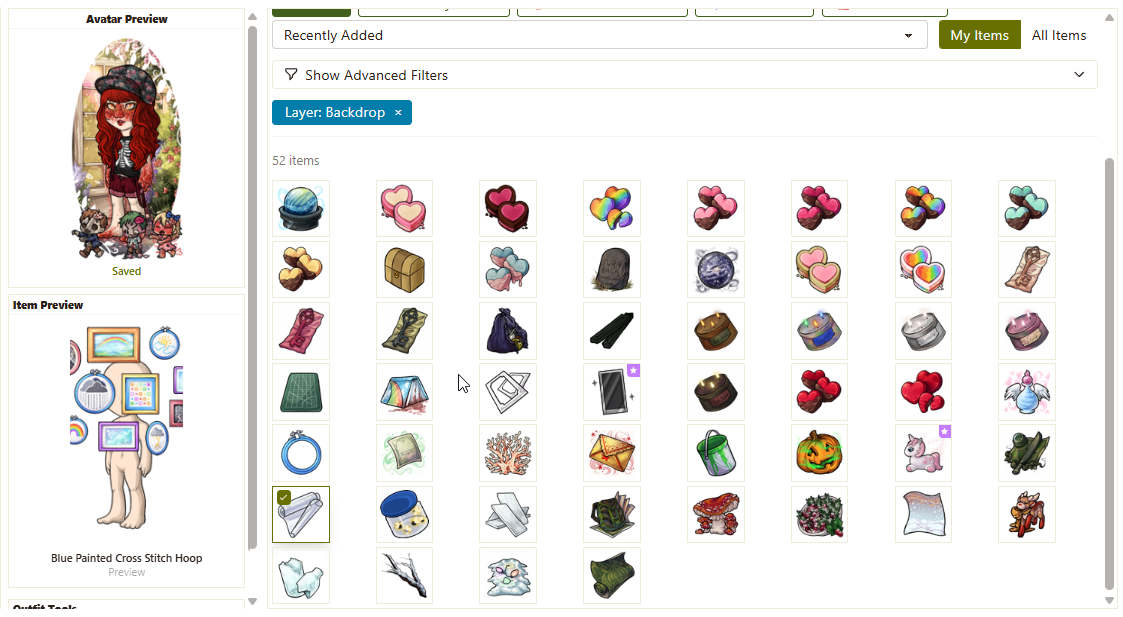
Don't get rid of the Item Preview once the mouse is not hovering over the item anymore. So pretty much make it like the wardrobe at new.subeta, the item preview sticking even after the pointer is not hovering over the item anymore. This is super annoying and makes the shop search and wishlist buttons useless. (adjacent suggestion: make the layout so the columns always align like this - so we don't have to keep scrolling back and forth) Mockup of the idea:
-
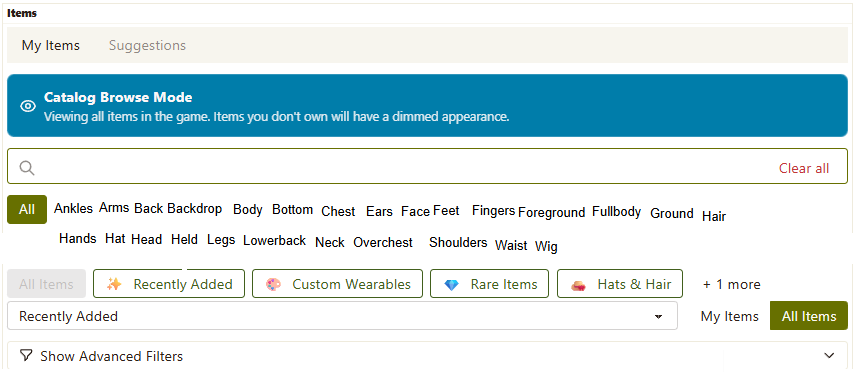
Show all layers in the menu instead of having us click an arrow to display them, and have them in alphabetical order. Mockup of the idea:
-
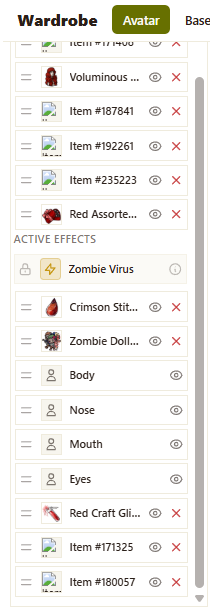
Let us move the "Active Effects" category so skins and Rachelle's stages can be layered like everything else Mockup of the idea:
-
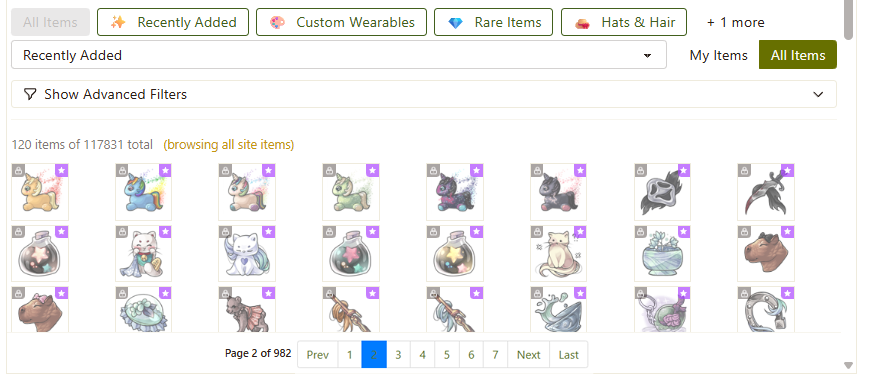
Add page numbers to the navigation, letting us skip to a specific page (or the last page) if we want to. Mockup of the idea:
-
Let us try on skins, it would be very helpful mainly for Survival skins so we can know which skins we want to unlock
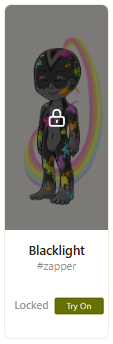
-
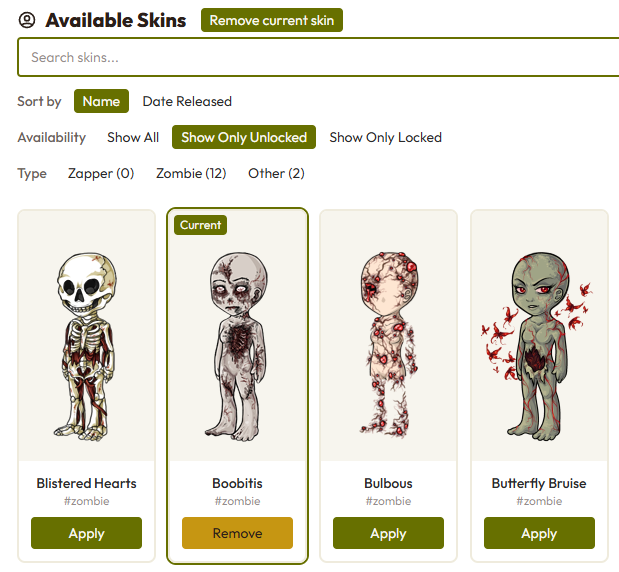
Add a "remove current skin" button for practicity
-
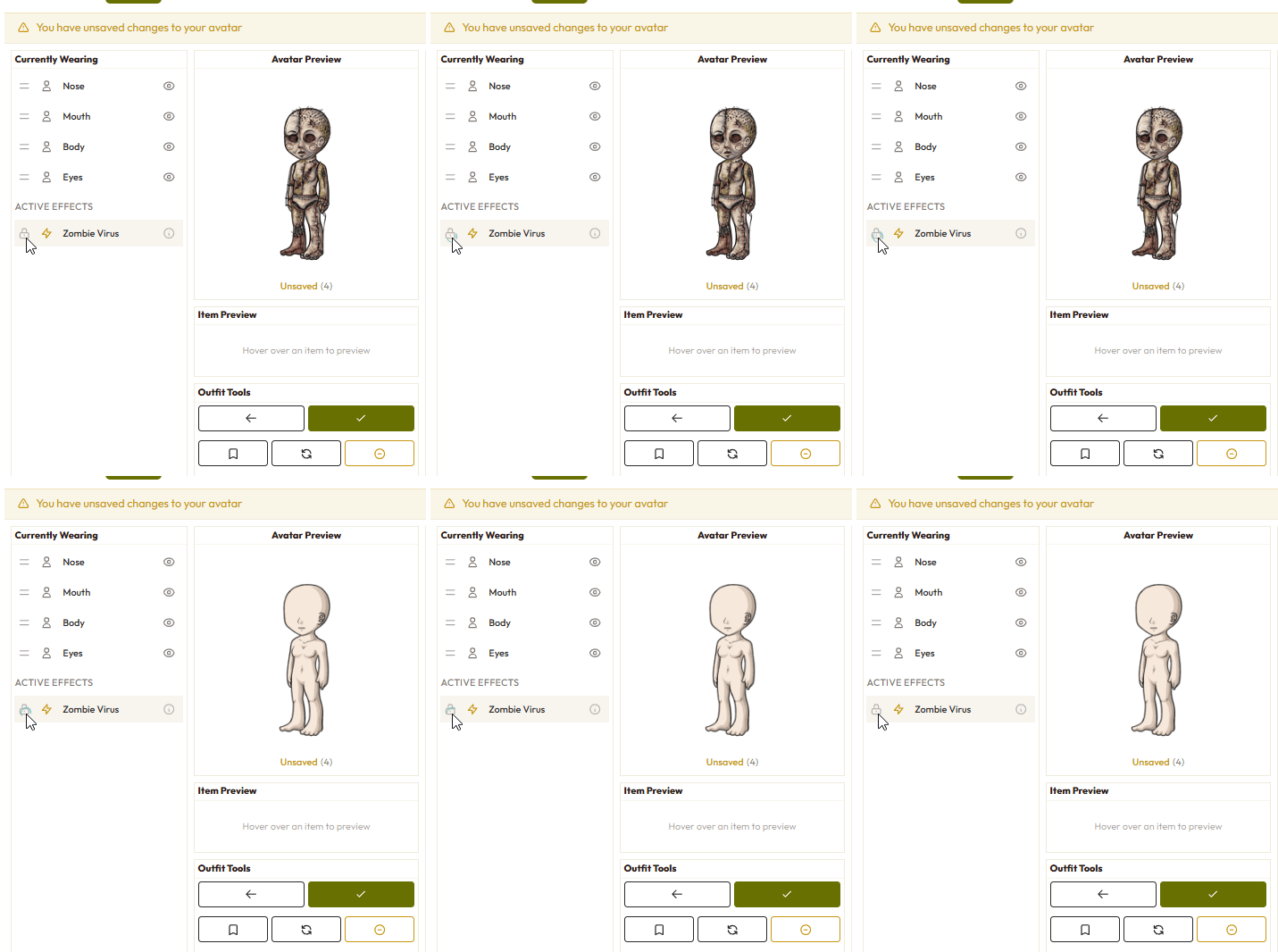
Let us toggle Rachelle's limbs and virus stages on and off, right now we have to go to her and actually have the virus removed if we want to plan a new HA or just play around and get some previews
-
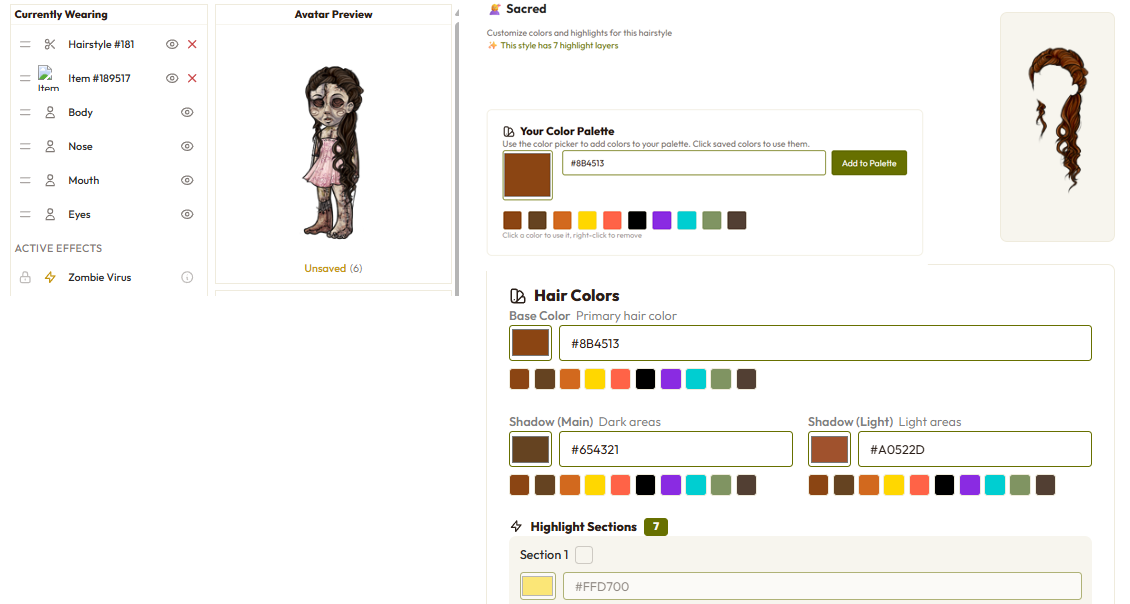
Add the avatar preview and the currently wearing sections to the hair saloon - also not sure if it's a bug but every time I put on a new hair it strips my avatar naked. The hair image also flickers every time I drag items up and down.
-
Add the "remove current skin" button to the skins page, saving us time by not having to find the specific skin we are wearing to take it off. No mockup, very self-explanatory.
pardon for the wonky visualizers, I hope they can pass the idea clearly enough. Thanks for taking a look! <3

the overall layout should just be redone to match the layout of the legacy wardrobe tbh.
first off the sidebar and full header really don't need to be there taking up so much precious real estate. as it is, the entire width of the page (and everything above the fold) is taken up by the avatar preview and the worn items list.
that means in order to actually add items, i have to scroll ALL the way down, removing my HA from view; thus i have no way of previewing what a given item actually looks like as a wearable, let alone what it will look like on my current HA. i know i've been playing a long time but i don't have all the wearables memorized like that! then i have to scroll ALL the way back up to see what the items look like on my HA and make adjustments to their position in the list.
i see no reason why these layout elements shouldn't be able to adapt sizes to automatically fit side-by-side in a responsive manner. my laptop screen is not tiny; it's 15-inches (1440 x 900px), definitely larger than what most people use. so that means anyone not playing on a widescreen monitor is unable to properly use the wardrobe.
additionally the horizontal spacing between wardrobe items leaves big weird gaps. i think grids should be grids, with equal vertical and horizontal spacing between elements, so it takes the same amount of movement to reach something to the left or right as it does to reach something above or below the item you're currently hovering over. anything else is uncomfortable to use and look at.
also, i understand the purpose of the "you have unsaved changes to your avatar!" notification banner, but the fact that it appears and disappears depending on if you make/undo changes to your HA means the contents of the page will be constantly shifting, which is INCREDIBLY obnoxious and inconvenient when you're just trying to make your HA in peace.
e.g. i click an item to see what it looks like on my HA. the banner appears and shifts everything on the page down. i decide i don't like the item and want to click it again to take it off. OOPS, thanks to the repositioning, my cursor isn't on the item anymore. i move my cursor to click on the item again and remove it. the banner disappears, moving everything on the page back up. i hesitate and wonder if actually maybe it didn't look better before, so i want to re-add the item. OOPS, guess what, my cursor isn't on it again!
so the warning should definitely be relegated to some sort of FIXED POINT on the page that doesn't affect the positioning of anything else.


It would be nice if the currently wearing section was collapsible. I can dream~

Holy work and then some! I'm speechless, just...wow...

It is now!
I've got a number of these in, but still have a lot left!
The notice is now fixed height, and doesn't shift the contents of the page. This was an easy change, and is a lot easier than "start over".
💖 ✨ 🤗

I miss in the previous wardrobe how it defaulted to showing the recently released to site instead of how it's currently sorted by recently added to wardrobe.
Could we either have it back that way or be able to set our own default sorting option?
Not a big deal and other than that, I'm liking what I'm seeing so far. :)
♥♥ ♥♥ ♥♥ ♥♥ ♥♥ ♥♥ ♥♥ ♥♥ ♥♥
frenly lil goblin
Steam Discord: peachgoblin
pings/smail/comments 👍
♥♥ ♥♥ ♥♥ ♥♥ ♥♥ ♥♥ ♥♥ ♥♥ ♥♥
Thanks for your continued work! <3 In the wardrobe and around the site. I joined last year and the improvement to everything have been so nice.
I think the biggest problem right now, at least for me, is how far down the items make the page scroll - making us lose sight of the avatar/preview. Also seems like the page numbers in the items section are being cut off. It was working fine on Kumos.
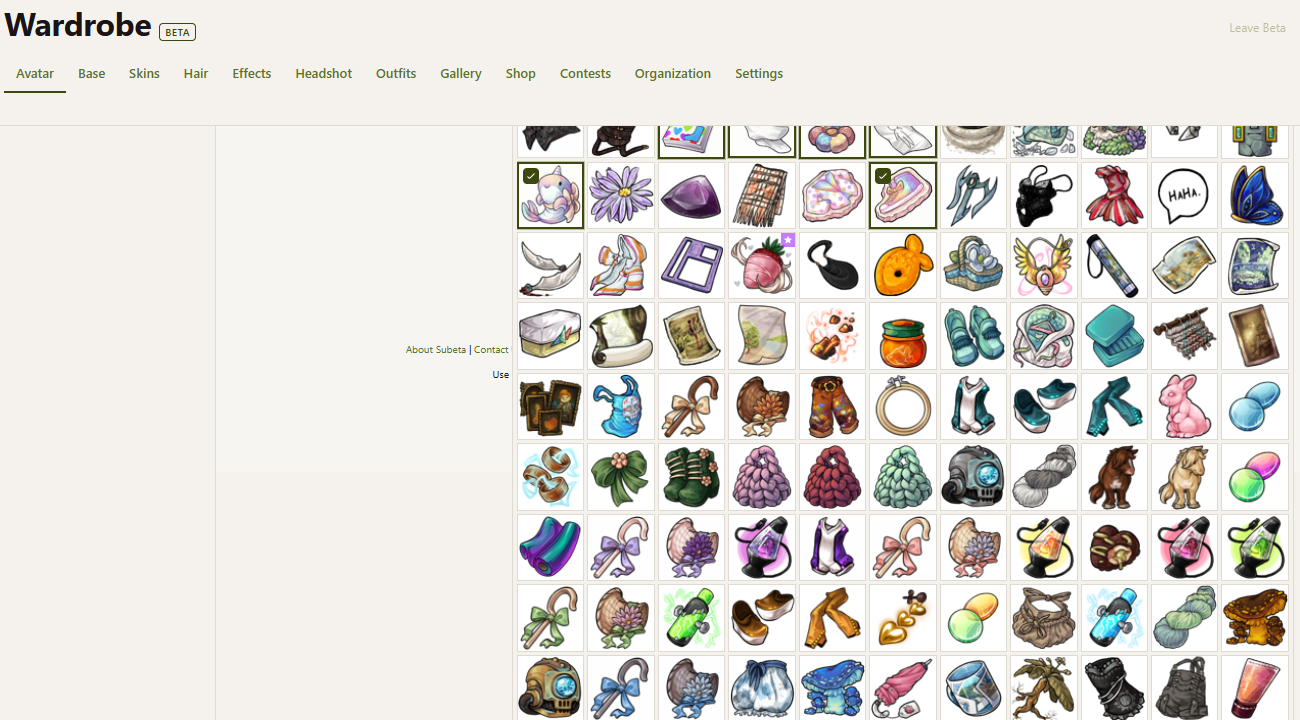
Hi folks, I just pushed out a bunch of improvements, tightening up space and hopefully reducing scrolling. I also paid special attention to the smaller viewports!
💖 ✨ 🤗

I can't see the filter box
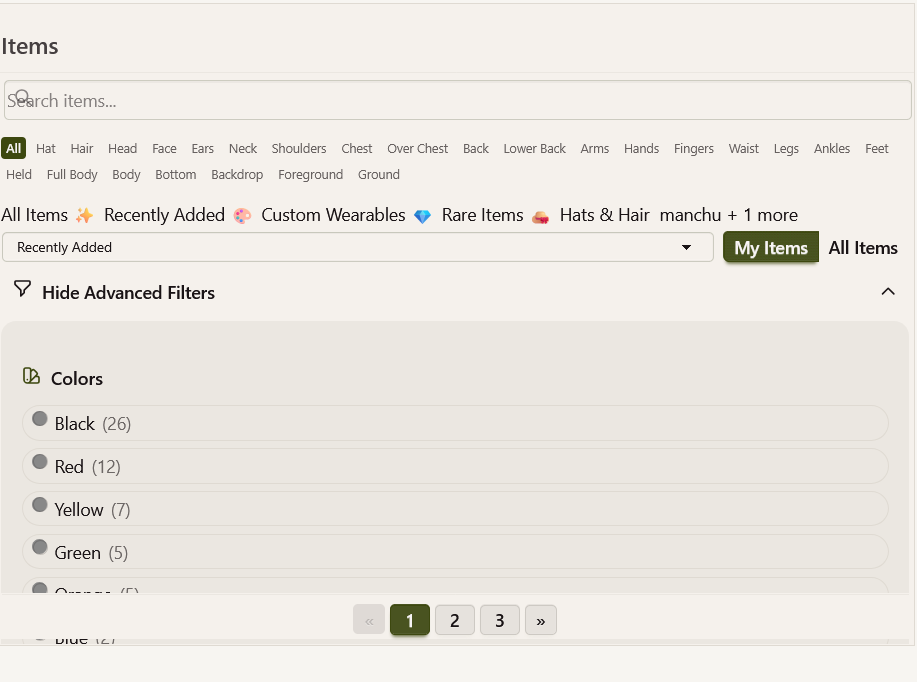
It's part of major scaling issue that Subeta has at 100% zoom (items looks blurry, the new harpooning game box is not aligned well and many other issues), I'm using Firefox (latest version), but it's also happening on Edge and Chrome.
I need to zoom out to 67% to see everything:
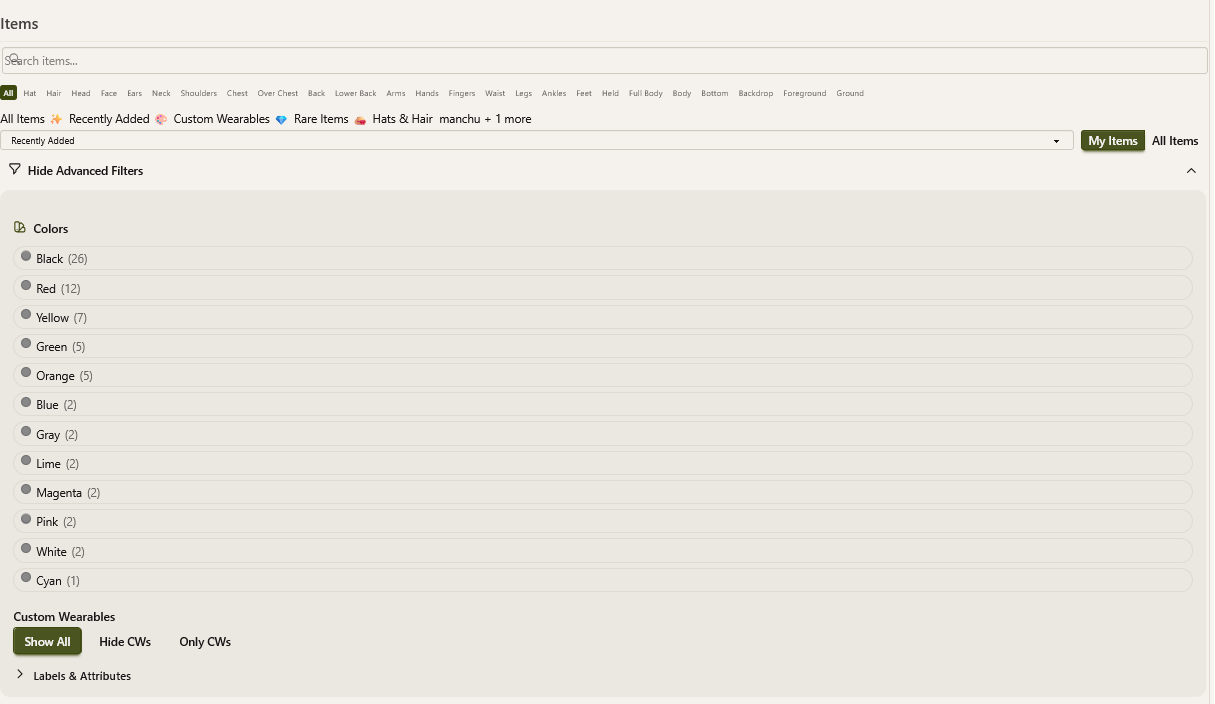
Yeah, that's a much larger problem. Subeta (legacy) doesn't have the code to make it into an actual mobile site and if I add it.... it is not pretty. I'm going to spend most of my week this week seeing if there is a way to break that apart and make it so that there is actually a mobile layout when you load Subeta.
💖 ✨ 🤗
It's actually on windows PC and not mobile, actually on mobile most of the things looks how they should, for example, the filter is not covering anything, I'm using an iphone with Safari
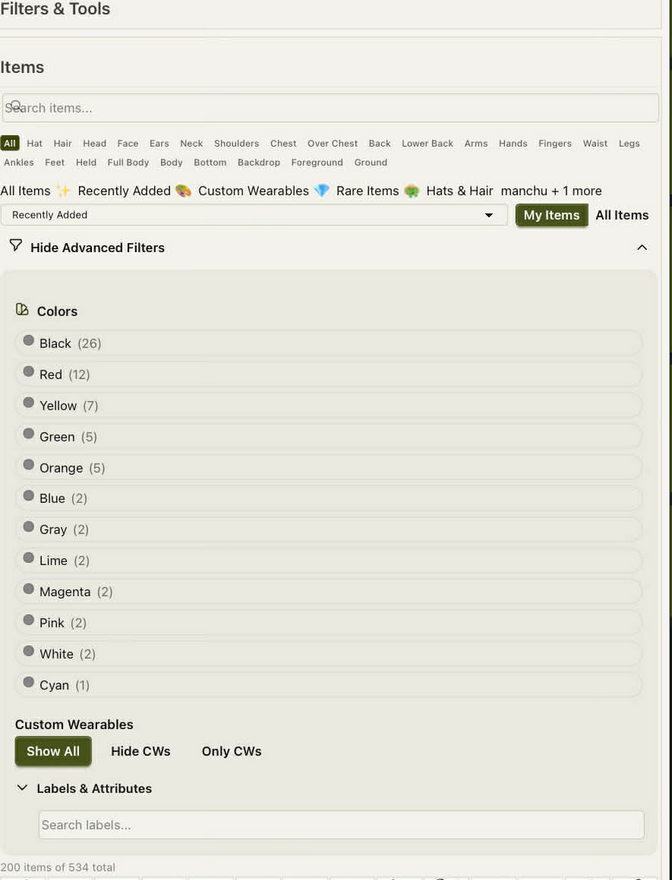

, thank you for the quick-fix on the "HA not scrolling along with the items" thing.... unfortunately it does seem to have broken the filters and also the saved outfits page.... both are cut off where the scrolling box is for the items now. I'm also using a computer with windows and not mobile.


A couple things I've noticed since the last update (some of these are repeats from my bug thread, some are new):
Long item names are cut off in the preview box, rather than wrapping to a new line:
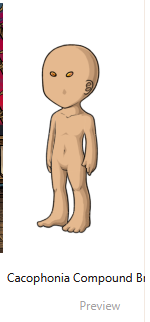
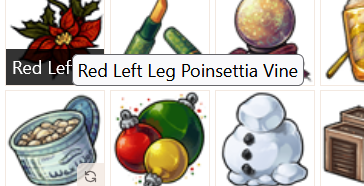
Having one or two words from the item name on mouseover and then also the full item name as hover text is incredibly distracting/confusing/inconvenient. Can the item name be either displayed in full somewhere other than preview where it isn't obscuring the image, or only displayed on preview?
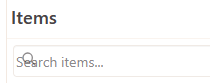
Magnifying glass icon on top of the "search" in the search box:
It's nice seeing all the layers instead of only a handful and a dropdown, but the text is really small. Is there any way to make the font size larger and on two rows?
Also in that area, now that drawers don't have their own boxes, they run together visually. The premades have icons after that help break them up, but I don't want to have to find icons for all my drawers to separate them visually:

ETA: Migration seems fixed (outfit images loading, no duplication) so I went ahead and migrated my outfits. They all went fine, with one exception:
 As you can see, it saved the clothing data, but the image itself is naked for some reason.
 they/them/theirs, please.
after many adjustments and improvements and playing around in the new wardrobe some more, these are two main points i think still ought to be addressed:
- put drawers back in a dropdown. why do the site-made drawers take precedence over my own? i have them disabled but they still show up. and even without them that would still shunt the majority of my drawers into a secondary view that i have to click to reveal, with only the first few alphabetical options arbitrarily given the privilege of showing up front and center. so why not just make it consistent and put them all back under the dropdown like before? it's equality.
- in what universe is showing/hiding CWs an advanced setting? and shoved all the way under the color filters at that! i think it belongs next to the owned/all items toggle. (also half the time i can't even open the advanced filters menu because the horizontal scrollbar is in the way. why does that box have horizontal scrolling to begin with? there's nothing visible off the edge.)
- after importing my saved outfits they came in without names or tags and in non-chronological order. i guess maybe that's just how it had to be but ughh what a pain having to try and remember all the names and my meticulous tagging system... EDIT: just realized there's not actually a way to filter our own outfits by tag anymore? i assume that's going to be re-added later.
- (i also know all the old hair salon data was lost ages ago but now those super old HAs don't even preview with the hairstyle anymore... RIP 😔)
- clicking "save outfit" on the dressing up page doesn't do anything, so you have to wear the outfit first THEN navigate to the outfits page THEN save it THEN put back on the outfit you wanted to be wearing from before, and that also means you can't save outfits with unowned items.
- also, should the phrasing on the "save" button maybe be changed back to "wear"? since it could be confusing to most people to have two options that both say they're about saving the outfit but actually have completely different functions.