Wardrobe: Group layers together + be able to select layers (think Photoshop)
Replies

Okay so I have been searching for suggestions similar to this but I can't seem to find any. I found a little frustration of mine while I was customizing my HAs, so I'd like to present two suggestions:
[ol]
To further illustrate:
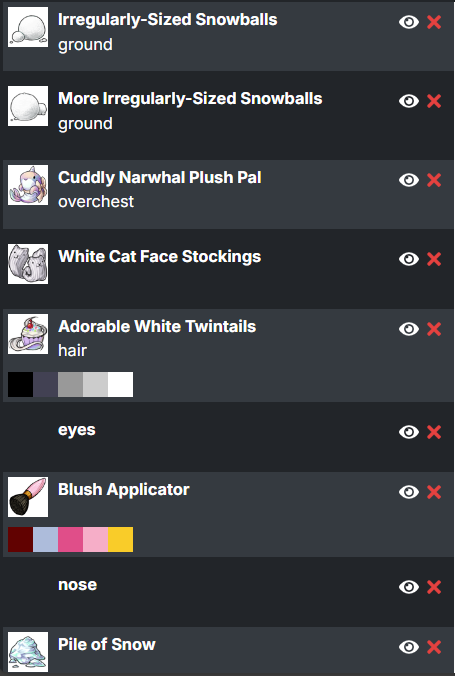
I'm currently customizing my HA and this ^ is what the side looks like now. It is super messy. I want to be able to put the snowballs in like, one folder as I intend to treat them as a whole unit anyway.
Also, in case I want to add pants or shoes, it will automatically go on top of the snowballs and I will have to drag them down to the appropriate level. Lots of extra scrolling and clicking. I would like to be able to select the "Cuddly Narwhal Plush Pal" layer, so that when I add shoes, for example, the layer is inserted in that place, directly behind the snowballs.
This is similar to Photoshop where you have these layers,
SPOILER (click to toggle)
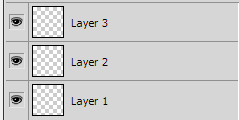
SPOILER (click to toggle)
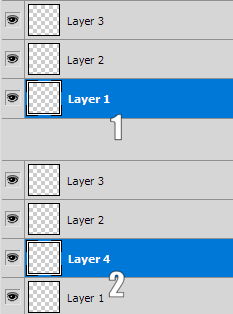
Hopefully that makes sense!!

Yeah, I've wanted something like suggestion 2 for ages. Especially when I'm trying on a bunch of different options for say shirts under a jacket.
I understand suggestion 1, and also approve of it, but considering how many questions pop up with just regular moving layers around, I think this might be a little too complex.
In loving memory of Need posting achievements?Then join Posting Frenzy Achievement Items - searchable list List of Borders and cutouts New at Fresh and Flavorful Ping Group

Tbh, I just wish I could lock layers and not have them either be selectable without first unlocking (think Photoshop) so I don't accidentally move a hair item or something I use for my HA basis.
NOW, TO MAKE THAT REALLY, REALLY USEFUL WOULD: in Photoshop, if you select the layer and have click alt, you can make a layer GROUP, which is far, far, FAR easier and neater. In actual Photoshop, it lets you make clipping masks, but in here, it could be useful to either group a mass of items all at once or mass toggle their visibility off and/or, like I said, just lock one and the entire group locks to prevent edits.


Yep. I suggested that before Bug left, so maybe it'll be in v.3.0 or whatever, because it would be nice.
