Avatar base for item preview
Filter
Show Official Posts OnlyReplies

I am using Chrome - Version 84.0.4147.135 and Win 10 Pro - Version 10.0.18363. I tried it on two different laptops.
I just want to let you know about a problem I found recently. I can not fully see the avatar base for the item preview. The legs are hid behind the Win taskbar, so if I want to preview shoes for example, I just can't see them.
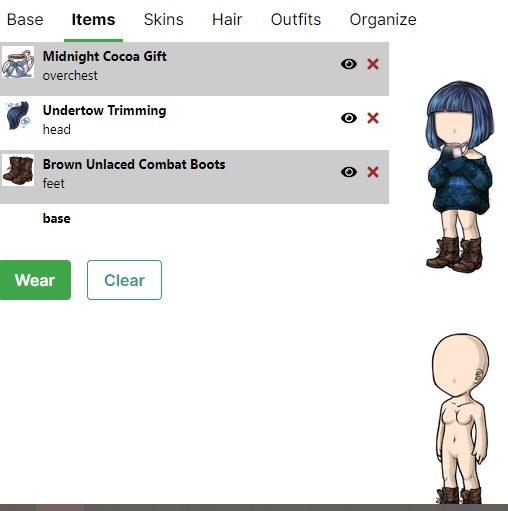
I found two solutions for this, but I don't really like any of them. I could hide the taskbar (but I always keep it visible) or zoom out the wardrobe page (in this case all the items become blurry). Neither of the two solutions are good enough to solve the problem in a pleasant way.
Does anyone else have this bug?

We're still working on optimizing the wardrobe for all screen resolutions; making it work on mobile is a challenge in particular. I've just made some tweaks that should at least let you see the full previews on your screen resolution without having to zoom out :)
🐝 ☕ bug (he/him) | your friendly neighborhood code wrangler. stay in the loop! join and check out the latest admin post highlights
