Pet Profile - Pet image change on hover?
Replies

Hey, I'm having trouble finding any examples and I tried searching google and the forums for what I think is a simple question but...
What is the code for when you hover over the pet image and it changes to another image? I'd like it to target the pet_image tag.

I played around with that type of thing before. Had to refresh myself a bit on some properties, the CSS and a "little bit" of explanation of it is below. Also let me know if I was unclear or you need any more help or such.
EXPLANATION
"background-image: url();" - will change the image just replace url I put with the image url you want. [this is all you need but very limited, may have strange effects]"transition: background-image 1s linear;" - this will fade images between each other, it will only affect specified property in this case "background-image", next is duration how long it'll take for transition to happen and linear makes it so transition speed is same though out transition (there are other types but this one is nicer at least in my opinion) some modifying may be needed if values I put is not to your liking. also there is a fourth parameter that will delay transition but I presume it's not a desired thing so I left it out, just thought to mention it if I was wrong
Use these properties if your image is not the same size as a pet image you have (default size is what i had)
"background-size: 200px 200px;" - [order: width height] will change the image size not the div size to specified numbers I put in is the default size of pet image (without this larger images are cut off and smaller will stay that way and be repeated) this may make image look strange depending on size/ratio if you don't want to change image size and not have cut off changing "width and height" properties is needed ALSO I put this in both to prevent weird transition effects
"background-repeat: no-repeat;" - if you are using a smaller image this stops it from tiling/repeating if you DON'T want to resize image otherwise this line won't have a viewable effect won't be harmful either though
Sorry for the lengthy explanation 😓 just wanted to be clear. Please let me know if this was helpful and such.

hi! I've been using this code on a few of my profiles, so thanks!! Just wondering - how would I change this to make the other picture show first, and the pet image show on hover?
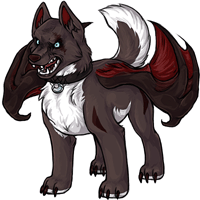
 (art by KayBit on Dappervolk)
Hihi me again. I have a few seconds and am bored so I figured I'd help ya out.
Basically you're going to want to make your extra picture the background of and then use the Subeta image as the background image of the hover. Using the coding above for example:
<style>
/* Targets the pet image div*/ { background-image: url(https://img.subeta.net/battle/opponents/opponent_eclipse.gif); transition: background-image 1s linear; background-size: 200px 200px; }
;)
/* hover changes for pet image div */ :hover { background-image: url(https://img.subeta.net/pets/blob_glacier.png); background-repeat: no-repeat; background-size: 200px 200px; }
;)
</style>
As can be seen here: https://subeta.net/petinfo.php?petid=916119