Any tips on drawing endeavors????
Replies

I'm trying to make an overlay but I'm not having much luck in making something I like much... anyone have any pointers??
[img align=center]https://64.media.tumblr.com/f4f49b67f9e3caae53881dacb2beba3b/addbe1d43ef439ff-be/s540x810/991efd00c8b4e278a0b1bb2a24be6db402ba2589.gif[/img]

I know this post is 4 months old, but I checked your lookup and you're still active so I'll pop a guide down in here for you :D.
First you're going to want to find some references to go from. I recommend these three due to their dynamic posing and light colours- It makes it easy to make out details and get a look from different angles at what we're working with:
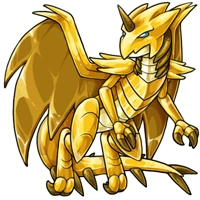
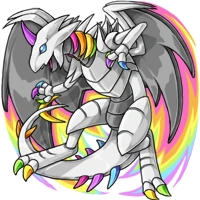
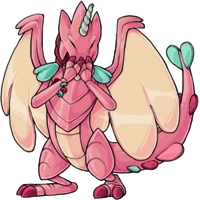
Starting your sketch
 You want to play around with basic poses before blocking in your detail since this will save you time if you decide you're not a fan of where it's going, before wasting 40+minutes. Bare bones it, basic shapes that connect to show a vague, yet recognizable skeleton.
Adding the 'flesh'
 Fill in your sketch with the meat of the work. Fortunately, a lot of the detail is just simple lines drawn in after the meat of the dragon is done, so it's a lot less daunting than it seems.
Final details in your sketch
 Here we're gonna fill in the spikes running down the neck and tail, and the robotic details on the limbs.
Line art
 This is the final result after doing your lines. Try a variation between thin and thick lines- Your thickest being the very outline, while using thinner lines for the detail and inner line art. It works wonders at making it pop.
I hope this helps with your... endeavour!