Ads bar messing with confirmation box
Filter
Show Official Posts OnlyReplies

I'm going to try to explain this the best I can. Normally, when I click a food or book to use on my pet, I select the pet and get a popup box asking if I am sure I want to feed or read that item to that pet. Lately I have been getting an issue where I try to feed or read the item to my pet and if the ad at the top of my page has not loaded yet, it makes my popup box disappear. So I have to then reselect which pet will use that item. I literally can't do anything until that ad loads up, which takes anywhere from 5 seconds-25 seconds depending on how laggy I am that day. This makes it really inconvenient to feed large amounts of food or read lots of books to my pets.
Just in case my above description isn't clear I will try to do a step by step explanation below: I have a book in my inventory, The Squib. I click it, I see the normal screen where I can move, discard, "other options" or pet treasures. I see several of my pets have not read that book yet, so I select a pet, Larkish. I get the popup box at the top of the screen "are you sure you want to use this item on Larkish?", but before I can click ok or cancel, the box disappears. My ad at the top has not loaded. Until it does it keeps making my little popup usage box disappear. So I wait on whatever the ad area is doing, and finally, I see the car ad (or whatever other product banner ad had loaded). Now I can finally try once again to read my The Squib to my pet.

Hey ! What browser are you using? How long have you been noticing this going on?

If it helps, I've been experiencing this as well. I use an adblocker, though. Google Chrome here!
I am using Google Chrome too, but I don't have any adblockers. I think this has been going on for about a week maybe? I noticed it when I purchased all the new food for Neugarten and started feeding my foodie pet. I don't remember it happening at the start of June, so I think it's a more recent issue.
Edited to add that I just tried the "Delete" option on an item and it too has an issue until the ad shows up on the page.

OMG I noticed this too - I noticed the confirmation popup would poof a lot of the time, but I had no clue what was causing it. Turns out you are correct, it's that ad thing. Now that we know it's the ad, I can actually try to debug it.
This might be complicated to fix though, just looking at how that page works...
🐝 ☕ bug (he/him) | your friendly neighborhood code wrangler. stay in the loop! join and check out the latest admin post highlights
After looking into this more, I think we may not have the ability to fix this issue, since the issue is caused by trying to do something before the webpage has fully loaded. I also cannot find anything that may be causing the ad to load more slowly than everything else; I think it's simply slower because it has to communicate with Google Ads servers, rather than just going straight from Subeta servers to your computer.
🐝 ☕ bug (he/him) | your friendly neighborhood code wrangler. stay in the loop! join and check out the latest admin post highlights

Hi, I'm sorry if I'm hijacking this at all, but I'm also getting some lag issues/confirmation box issues today. The ads on the top of the page have more than doubled in size, which makes the loading time for them that much longer. Is there a reason the google ads are so...large now on the site?
❤️❤️ ❤️ ❤️ ❤️
Do you have any custom CSS, and if so, could you try clearing it and see if you still have the issue?
Are you able to try in a different browser and see if you still have the same issue?
🐝 ☕ bug (he/him) | your friendly neighborhood code wrangler. stay in the loop! join and check out the latest admin post highlights
No, I don't use custom CSS (I'm too awful with coding lol) I tried it on IE, and it's the same. And a friend of mine also had this problem but she activated a gold account to get rid of ads. We both use Chrome usually though.
❤️❤️ ❤️ ❤️ ❤️
Hmmm.... weird! Do you think you could screenshot it so I can see exactly what you mean by the ads getting bigger?
🐝 ☕ bug (he/him) | your friendly neighborhood code wrangler. stay in the loop! join and check out the latest admin post highlights
Sure!
Gyazo Screen 1 Gyazo Screen 2 Gyazo Screen 3
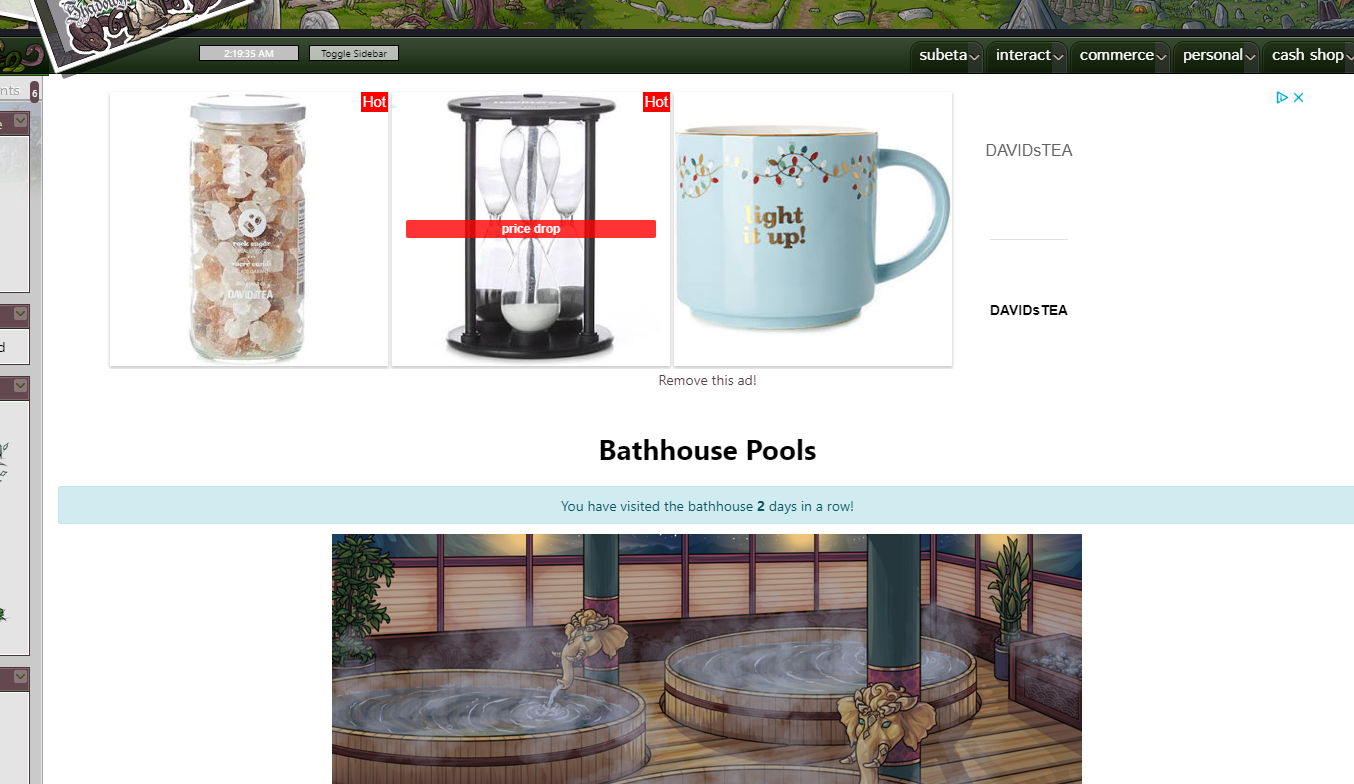
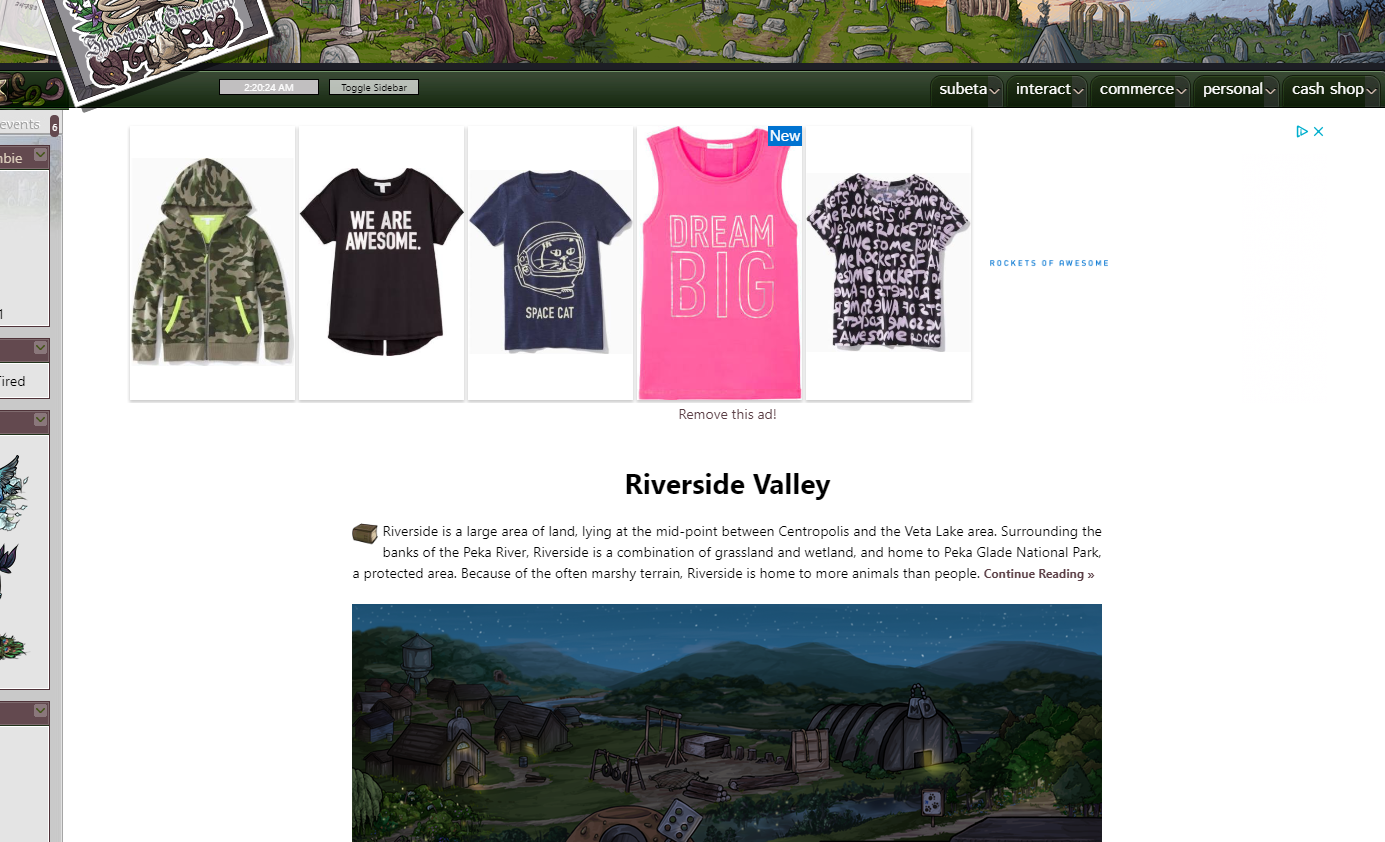
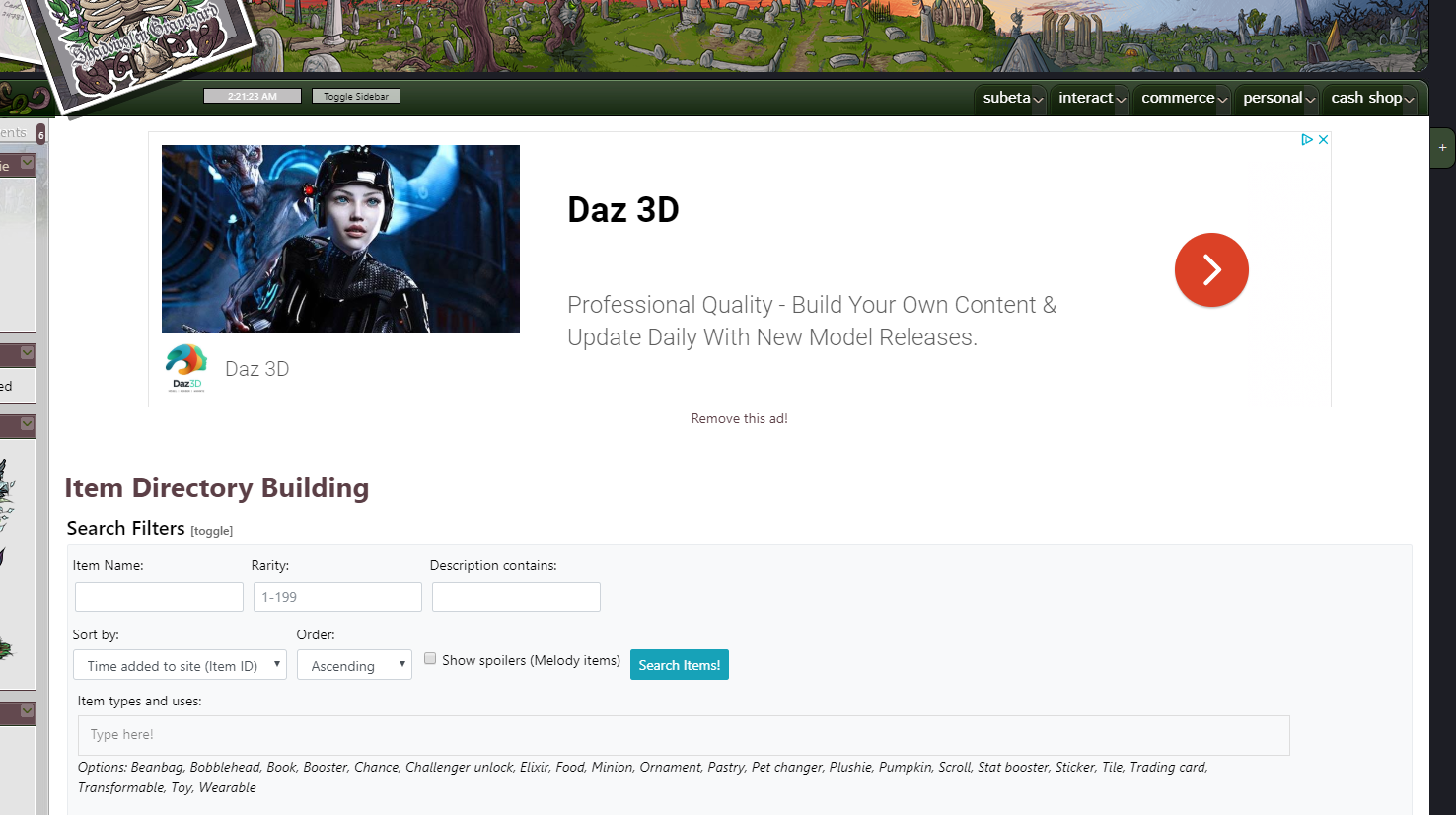
Before today, the ads displayed on the top of the site have been the same size as the billboards in the cashshop. But today they're just this giant size, and occasionally it makes whatever subeta page I'm on look a little glitched out, so I have to reload it a few times. I also haven't seen any user-generated billboards today at all, only ads. Which from my personal experience is a bit unusual? On the forums I almost always see billboards rather than ads.
❤️❤️ ❤️ ❤️ ❤️
What specific Chrome version are you using? And do you use any browser extensions?
🐝 ☕ bug (he/him) | your friendly neighborhood code wrangler. stay in the loop! join and check out the latest admin post highlights