Certain links want to download?
Filter
Show Official Posts OnlyReplies

Recently I noticed while playing throughout the site that various buttons/links would trigger a download to start.
As shown here,
SPOILER (click to toggle)
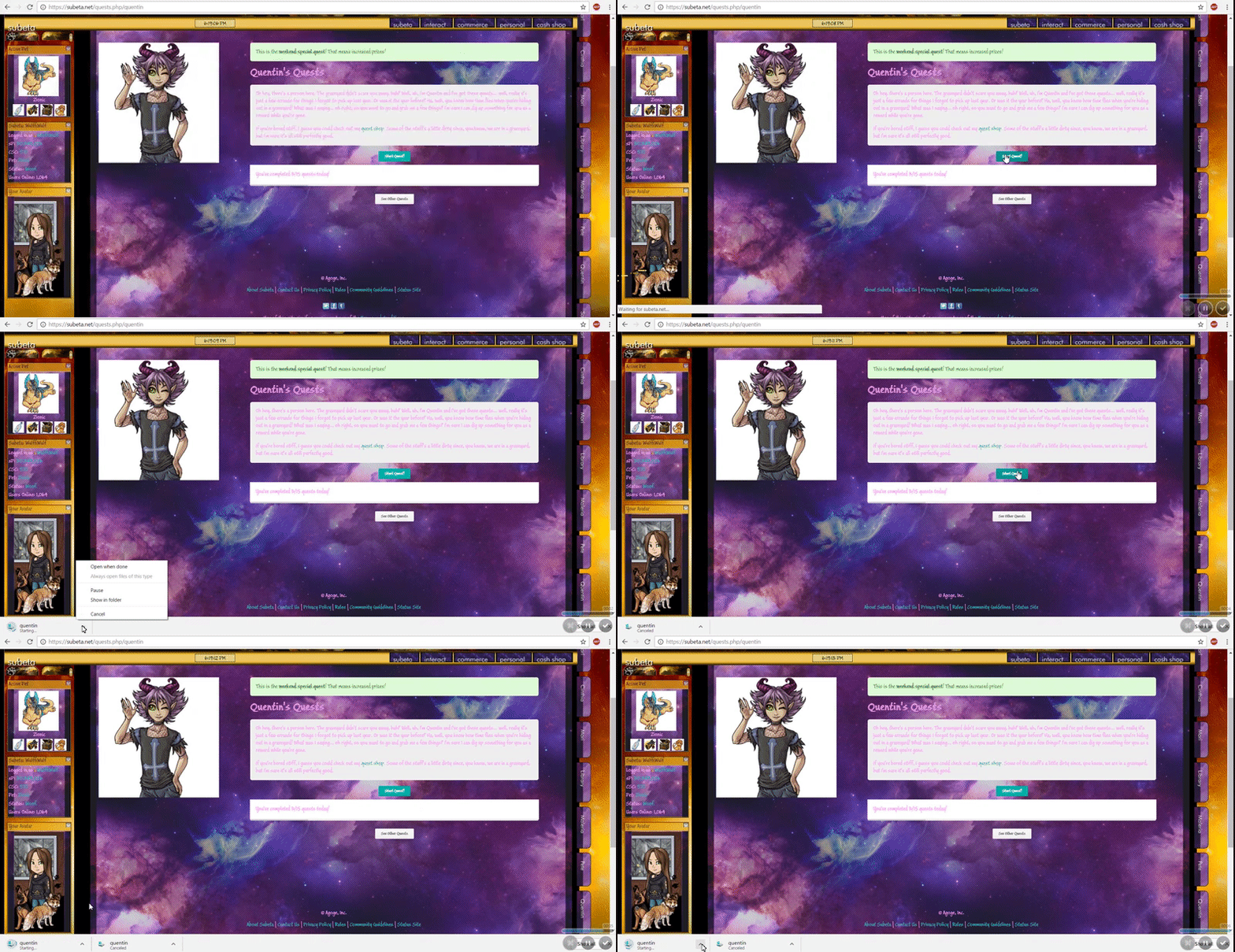
About two weeks ago I dropped my laptop off to get fixed, so in the meantime I used a different laptop. Never had this issue on that computer, not even once. The site just ran incredibly slow because it was an older laptop. I have mine back now, however, the issue is back as well. Just on this computer. Happens when trying to view the news page, starting quests, searching for items ect. It just tries to download a file. It makes it hard to do anything since it doesn't do anything other than that. Quests usually do start but I can never see what the quest wants, never directs me to that page. Same with the news section, shop search. So far it's just been those three things. It doesn't happen all the time either, just every now and then. But when it does happen, it doesn't stop.
At first I thought it was FireFox. I use Google Chrome now, when I switched it wasn't happening for a little but now it is. Plus, the other laptop never did it. Is it some program on this laptop or something making it happen? Please let me know if anyone has any idea, I'd love to get it to stop so I can play again.

I would run a virus scan because I am able to do quests fine and there is nothing that I can think of that a quest would even download anyway. If that does not work, I would try removing your custom CSS and see if that is causing a problem.
Dexter by ❤
I've ran them before and it's never come up with anything. The custom CSS was used on the other computer as well, no issue. Shouldn't be it either because I was able to use this CSS for a couple months without an issue.
It even happens when I click Post I noticed. Anything that's a button to progress to somewhere, it acts like it's a download of some sort. Subeta is the only website that's been doing it too.
SPOILER (click to toggle)
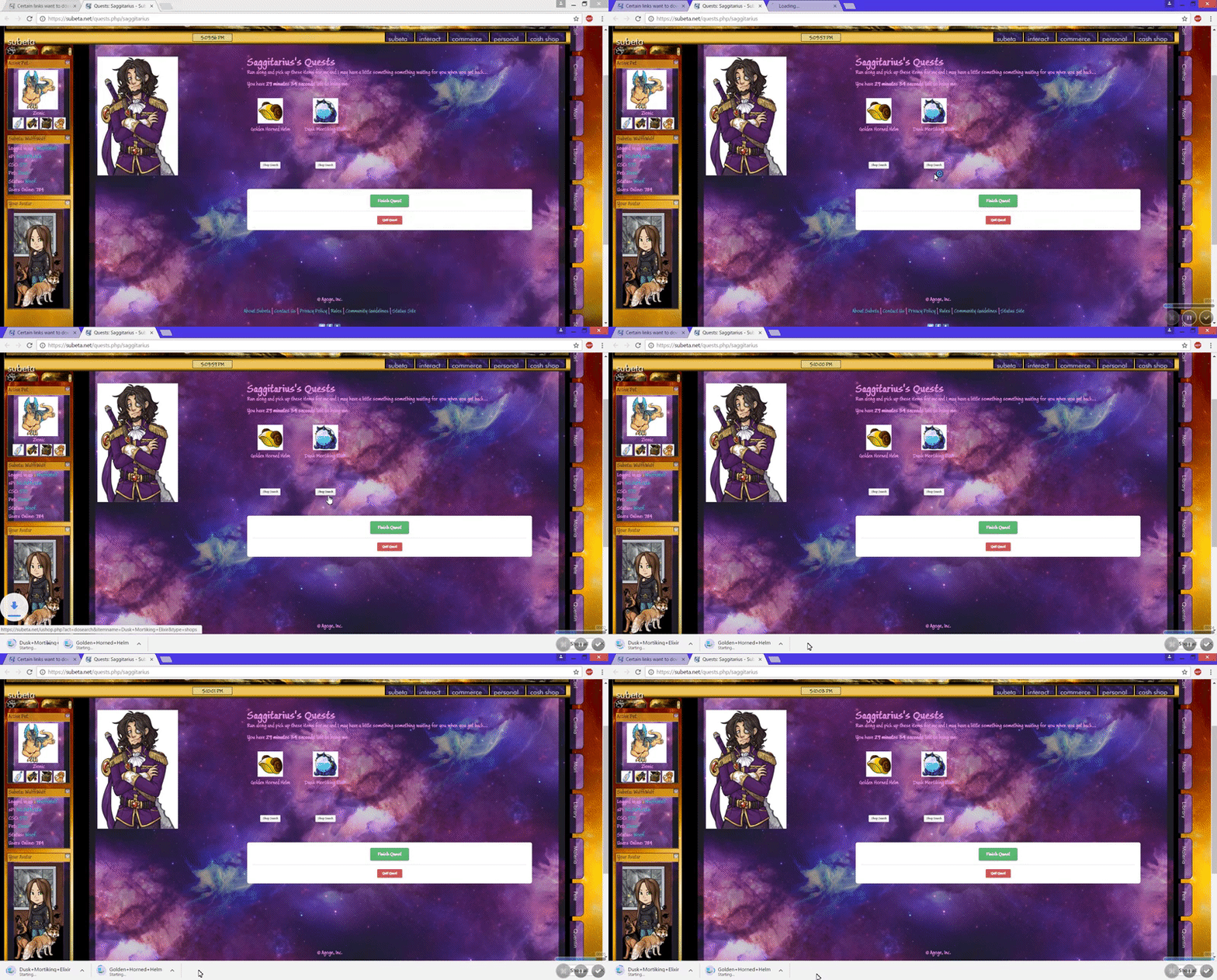
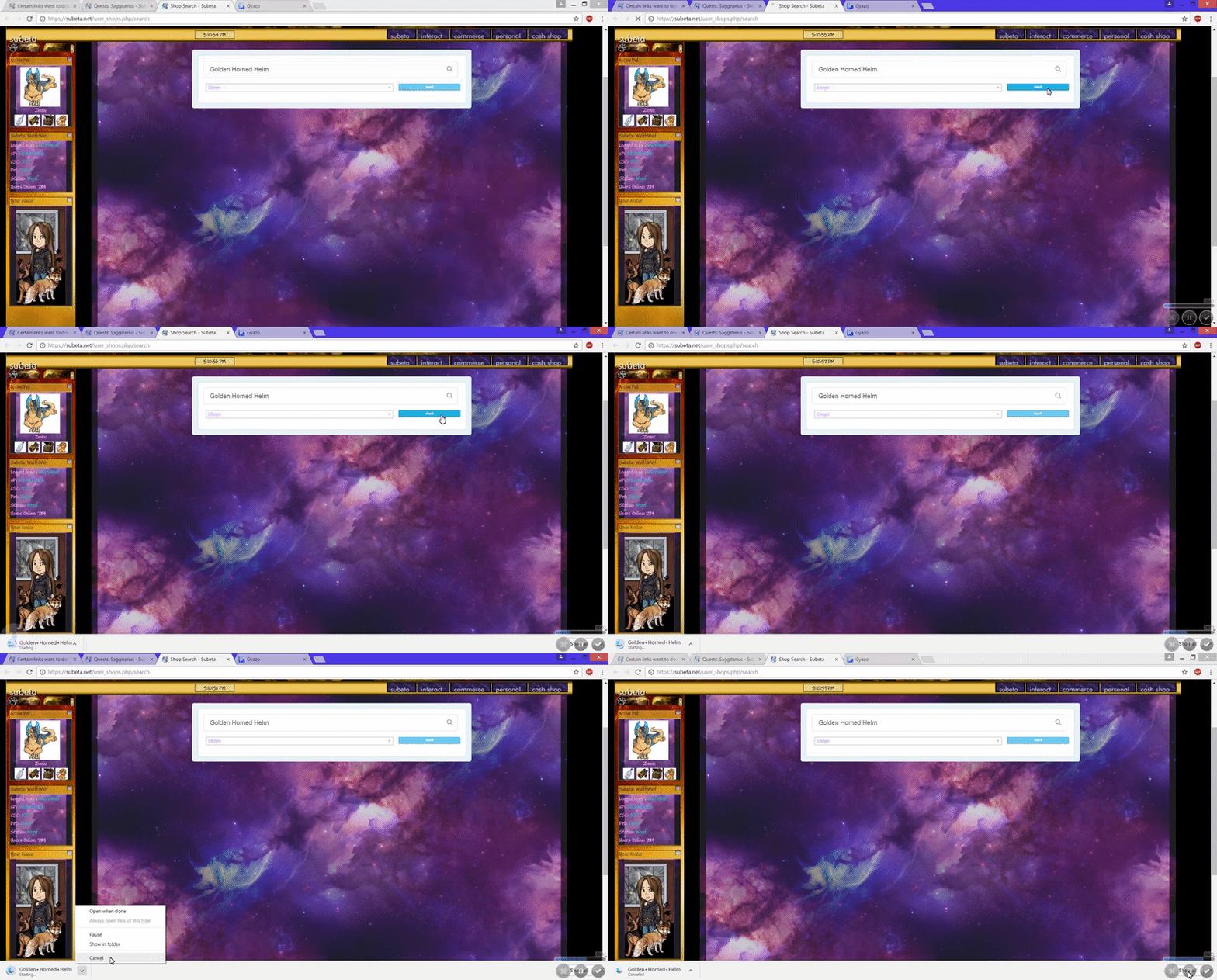
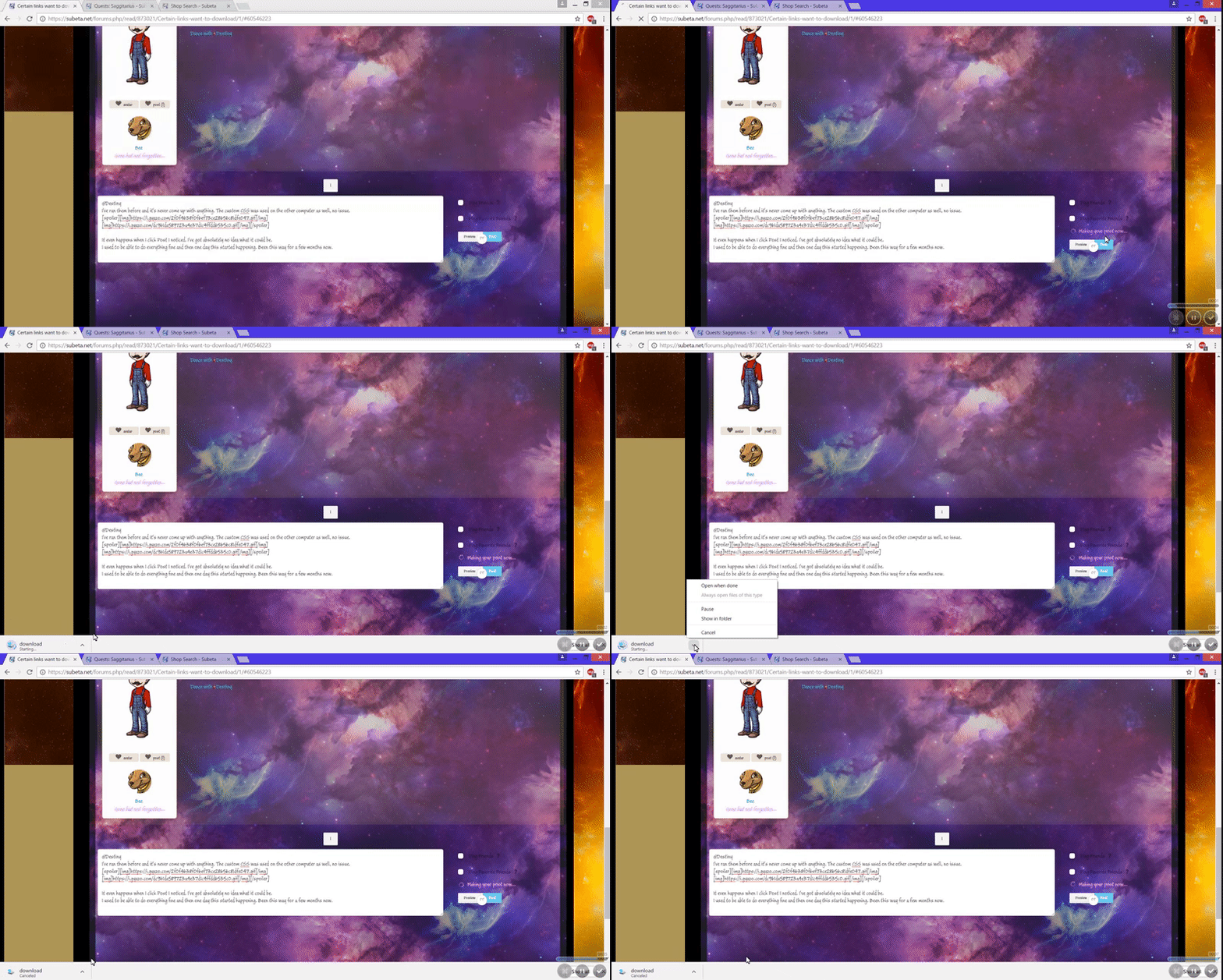
I've got absolutely no idea what it could be. I used to be able to do everything fine and then one day this started happening. Been this way for a few months now.

A google search tells me it might be browser hijacker malware, so make sure any antivirus you use is fully updated. Also check to make sure your browsers are fully updated too

it looks like it's trying to download the html file of the linked page, which happens if you hold down alt while clicking. maybe there's something wrong with your keyboard where it thinks you're pressing alt even when you aren't? that can happen particularly when there is damage to the laptop battery.

I use Bitdefender that should be fully updated, it updates very frequently. The browser should be fully updated as well, I could check that though just to be sure.
That doesn't seem like it either since it's only happening here, plus nothing else seems to act like the Alt key is being held down. Battery is fine.
is sticky keys somehow enabled? idk if that'd do it but that's really annoying. try hitting shift 5 times really quickly
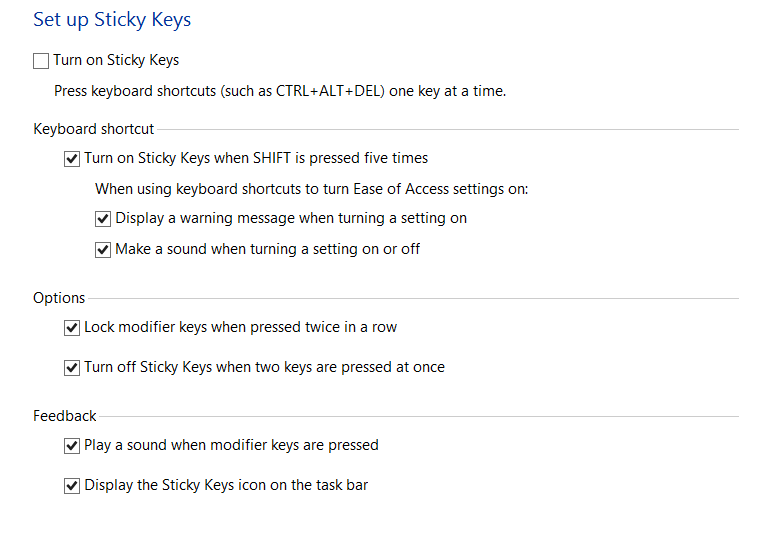
this is like 6 years old but someone was having a similar problem here
if that doesn't work, check your add-ons if you have any. if that does nothing, uninstall and reinstall your browsers. hopefully one of those things can fix it :x
Well, I'm able to search anything on Google without a download thing showing up. I tried what they said, I think? It didn't work. I might've done it wrong though. It's literally only happening to Subeta and that's what makes it really weird to me. The Addons I have are AdBlocker, Google Docs, Google Docs Offline, Google Sheets and Google Slides. I do know that when I switched from FireFox to Google Chrome, the issue wasn't happening for a short time. But then it did start up agian.
Have you tried disabling your add-ons? It really sounds like an issue on your end if no one else is reporting it and I'm not really sure what it could be beside a virus, some setting, or something like an add-on Sometimes anti-virus can interfere, maybe try disabling that for a bit and see if that's causing a conflict.

- for what it's worth, this has also been happening to me for quite awhile now. Usually when trying to start a quest or do a shop search. I am on a Windows 7 64 bit laptop fully updated, and running Bitdefender Total Security 2016 also fully updated. I am using Chrome Version 57.0.2987.133 (64-bit) fully up to date with no extensions. It never happens anywhere other than Subeta and I am convinced that it's not a virus or something on my end (other than possibly some sort of strange interaction with Subeta).
Also, I would be very hesitant about disabling anti-virus protection to test - especially if the computer is also used for serious things like banking. It is, however, interesting to note that both and I are running Bitdefender.
It is vey annoying, because you need to cancel the download and then reload the page before you can see whatever it is you were trying to do. (If you do that when it happens while starting a quest, you will then see what items were requested.)
I hope that was helpful.
Well if it is Bitdefender then unfortunately there is not really much that subeta can do.
Dexter by ❤
-true, but it's not clear that it is Bitdefender (or at least not only Bitdefender). If that was the case, you would think it would happen other places than just Subeta.
Also of note - I often do shop search/account search together on the same item while questing and the download problem never occurs for account search, even when it happens multiple times for the shop search and even if I use the links from the same item hover.
I almost feel like it could be BitDefender. The other Laptop I used while I didn't have this one had AVG Free 2013. Honestly I've been having problems with it a lot lately, and I have been thinking about getting rid of it very soon. I just need to figure out how to disable it to find out if it actually is. And if it is, I'll most likely just use Windows Defender instead.
I'm even getting the download issue now when I try and click the notification that I was mentioned here.
-EDIT- I've actually fully uninstalled Bit Defender and now have AVG Free 2017 instead. So far, I'm not having the download issue anymore. News, Quests, Shop Search, they're all not trying to download anymore. Hopefully it stays that way. So it does seem like it possibly is something to do with Bit Defender.
glad you tried uninstalling it! hopefully it does keep the downloading away. it's really weird why that would happen but it seems likely that if both you and are having the issue and are using bitdefender, it's caused by that.
- BitDefender may well be involved but it's hard to believe that it's the only cause if the issue doesn't happen anywhere but with certain Subeta actions. There could, however, be some sort of interaction between Subeta and BitDefender that causes the problem. Unlike , I have had no problems elsewhere and am mostly very happy with BitDefender. Also, I have had BitDefender for two thirds of a year and the download issues are considerably more recent, so, again, very unlikely to just be a BitDefender issue.
Yeah, I had Bit Defender for a year or two and I was happy with it. But lately, I had an issue with it where after I tried to do an update on it, it seriously messed up my computer to where I couldn't save anything, run anything, It said my C Drive didn't exist or something. Fussed with that all night and had to run startup repair before I got that fixed. I don't really know if Bit Defender is to blame for that happening, I don't know what else would've caused that but... Another issue I was having with it was, it would choose to update at the worst possible times. I'd be in the middle of playing a game with my friends when it would decide to update and make the game run like total crap until it finished. Couldn't find a way to make it stop doing that. It also wouldn't even update properly. I'd constantly get the little popup in the corner of the screen prompting me to restart for updates, 9/10 it would pop up when I was in a game/in the middle of typing and I'd hit space, pressing the OK button for it to shut down. Never even worked so..
I tried disabling it for 5 minuets at first, but the download thing was still happening. And then when I was in the middle of talking to a friend, the whole update thing popped up and it restarted while I was trying to type. Figured that was the last straw and got rid of it. It was going to expire in 80 days anyway. Just going to use AVG for now and if I do end up having an issue with that too then just stick with windows.
, kbbob and arixen, Thanks for the help though, I really appreciate it! Here's to hoping it never comes back~
- that sounds scary, glad you got it fixed! You can set preferences for BitDefender updates but since you've already found something else you like better, you might as well just stick with that and not worry about it. I tend to buy one of the most top-rated virus protectors each time my subscription runs out. In this case, I'll be looking again in a few months, so I am not going to change BitDefender for now.
[edit]Just wanted to report that the time came to renew my internet security and, at least in part because of this problem, I am no longer using BitDefender. Sure enough - the problem went away as soon as I made that change.
For what it's worth - it definitely seems to be some sort of BitDefender/Subeta (and SubetaLodge Forums) or maybe BitDefender/php conflict. It wasn't only a BitDefender bug since for an entire year it never happened anywhere else but Subeta/SubetaLodge Forums and then only for certain activities like shop search (never on account search). SubetaLodge Forums started a download almost every time I tried to login - or logout - or post.
Not suggesting anything get changed - just wanted someone to have this information since BitDefender is a top rated program and is clearly part of the problem, so I can see other Subeta users having this issue going forward. Now at least, someone here will have some idea what is going on and what to tell them.
In the interests of completeness, I run Subeta on two separate 64 bit Windows 7 Pro machines using the Chrome Browser and I was using Bitdefender Total Security 2016 and am now running Kaspersky Total Security 2017.
Hope that is useful information for someone.
It's been less than a full day and I can't tell you how happy I already am just not to have to keep stopping and deleting those downloads! :-)