👟stray pixels on a few wears (+ other probs)
Filter
Show Official Posts OnlyReplies

the overlay for the Drage Print Crop Top has a faint line of gray pixels along the bottom and left of the image, as you can see below:
SPOILER (click to toggle)
same deal with the Sheer Black Polka Dot Boxed Pantyhose, except only on the left:
SPOILER (click to toggle)
the Dark Lace Bow and Bleached Lace Bow also both have this problem, but only at around the height of the item itself:
SPOILER (click to toggle)
additionally, not stray pixels* but in the same set as the lace bows, there's a problem with Bleached Rabbit Fur Cuff - it doesn't have a female overlay. or rather, it does, but the female overlay is the same as the male one. compare the female overlays for the Bleached Rabbit Fur Cuff and the Dark Rabbit Fur Cuff:
SPOILER (click to toggle)
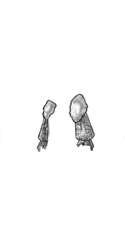

*EDIT: actually looking closely, both of these jackets do in fact have the same type of stray pixels as the lace bows.
[edit] pinging @ amber as per her request


Oh wow i never noticed these. Hopefully these get fixed soon! c:

I think the Drage Print Crop Top, Sheer Black Polka Dot Boxed Pantyhose, and Lace Bow might have been fixed? I could just be blind.
Interestingly, the Bleached Rabbit Fur Cuff and Dark Rabbit Fur Cuff both have male versions that are different than the female ones, but they are also different from each other.
The Dark Rabbit Fur Cuff female version accounts for the bust:
Male > Female

The Bleached Rabbit Fur Cuff has no changes to the bust area, but part of the cuff isn't colored in on the male version (assuming to account for the arch in the female back). Th top left of the male version also has less shading and some stray pixels.
Male > Female
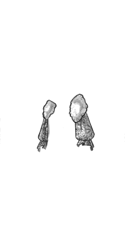
nope, the stray pixels mentioned in my original post are all still there. the images have not been changed. i've outlined the stray pixels in the images below. if they get automatically resized you might need to zoom in to see them but they're clearly still present.
SPOILER (click to toggle)

