Color showing up behind layout image
Replies

Here's the offender: Pet Profile For me, it views perfectly fine, nothing weird going on. On Jane's cell it views fine as well. But on her computer she sees this: screen shot. Why?
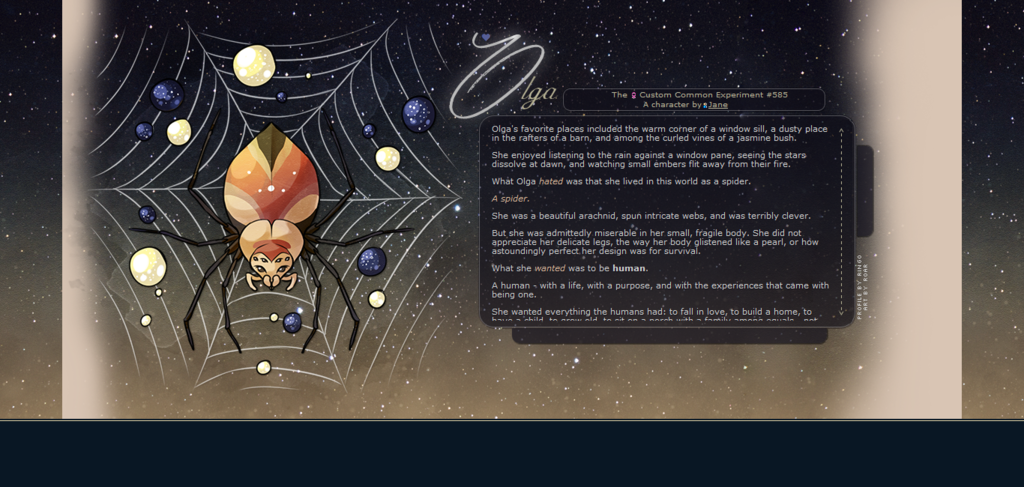
We've spent over a week on this and I can't figure the thing out. Because of the profile being centered and the large background pattern I erased part of the background on the main image so it was transparent and tiled properly. Thus the need for the transparency. I did an unsuccessful Google search and haven't found any info on this. :C Help please?


The problem is probably that is using the Luminaire site theme! I just switched themes to test and it happens on the Luminire one. Adding this line of code should fix it c:
html.cufon-active.cufon-ready body {background-color: transparent;}
- The Lumi theme is always causing problems... :P I didn't even think of it being that kind of an issue! Thank you! Hopefully that fixes it!
@ Ringo It did fix things when I added it to the code via Chrome's inspect tool, so it should hopefully work properly :D And it's a lovely profile by the way! c:
Edit: Also it would be great if all themes were just coded in the same way so you wouldn't need to check the profile with every theme to make sure it doesn't suddenly look weird in one v_v
Edit2: I just checked again and a simpler
body {background-color: transparent !important;}
seems to work, too, but only with the important at the end^^ OR just adding important to your background definition works, too c:
- Thank you again! I may have to start making that a thing just to avoid future problems. :P

and
Basically, this gif:

I MEAN SERIOUSLY WHAT THE HECK. I am so sorry! I actually remember this happening before, and I didn't catch it! ;o;
Thank you so much, ladies! I cannot express how thankful I am that you helped fix this problem. I due for a major facepalm, but we made it. I'm off to plug that code in all over the place. :'D
Thank you!