Drawing Tablet Upgrade Help?
Replies

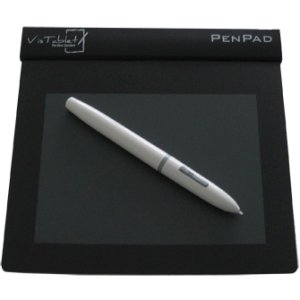
Hey there, I'm not sure if this is the proper place for this or not (if it's not please let me know!), but I've been looking into upgrading my drawing tablet. I currently have a little VisTablet PenPad, and it's lasted well for the last several years but it's small, beaten up, and just isn't giving me the control I need when drawing.
However, there's so many tablets out there that I have no clue where to start. Since subeta has such great artists, I figured I would try to seek help here.
What I'm looking for : I know half of these aren't possible together, but a guy can hope for the best, right?
- Under $500 USD (I'm a broke college student and am ordering this through the school using my textbook/food tuition funds. As far as I know they limit our spending to this amount when ordering through them)
- Is a Drawing Monitor Tablet - aka you draw on it and look directly at it, not draw on it and look up at another separate screen.
- Good Sensitivity - no choppiness or constantly having to fiddle with pressure settings.
- Plays well with Sai, Photoshop, and free programs such as Krita or Gimp.
- A comfortable pen - not too clunky and not cheap plastic.
- Reliable and won't die after a year of hard use.
Most of these are already a vast improvement on what I've been using, but please offer advice, opinions or anything else you think would be useful!
[ Cleared by staff. Combined height may not exceed 325 pixels. ]

Unfortunately I can't offer much advice on non-wacom brands, when I was younger I tried a lot of non-wacom and the difference when I went to a wacom was out of this world - I went to a graphire, I think, as my first wacom, and never looked back. I am sure the technology has improved in other brands though, that was about 12 years ago!
A brand I see mentioned alongside wacom for display tablets would be Huion - never tried them and can't offer input, but their 18.95" model is $449. Another would be Ugee. It's about $430, I think, for the 19". This one does have a lot of favorable reviews - more than Huion. The problem I see most mentioned with both is where your hand is and where the cursor appears, and input lag. Both things that drive me insane, but may not bother you nearly as much.
http://www.parkablogs.com/content/which-pen-display-graphic-tablet-buy-2015 Here is a pretty good comparison on most of the main contenders in this field. I would suggest looking at those, and watching youtube videos, see if anyone is doing the type of work you want to do and see how they handle it.
It's out of your price range and I'm sure you've already read about it, but a wacom cintiq is going to the best in this area, I'll have to mention it since I have one, specifically the 13 companion, and it's great, but expensive. Before this, I used the cintiq 12 inch, but I would be hesitant to recommend that to you. I used it for years but constantly battled color problems - drawing with a dark blue, it would be a vibrant purple on a "real" monitor. But you can find this model for less than $200 on e-bay, and it doesn't suffer input lag, even though it is old. If you don't want to mess with colors a lot, though, avoid it!
WHATEVER you get, I would highly suggest investing in a screen protector. They might all say scratch resistant, but you'll notice with frequent use the middle of your display will get foggy/scratchy. Get a good protector, they run around $20, and should be replaced when you start to notice that fog in the middle. Change your pen tips regularly to help combat that also.
Thanks Alyssa (not sure if i should ping or not, so im gonna hold off)! That link was super helpful and really gave me an idea of stuff that's out there other than wacom (which far far in the future i hope to upgrade to eventually). And thank you for the advice on the screen protector, I hadn't thought of that!
[ Cleared by staff. Combined height may not exceed 325 pixels. ]

Going along with what Alyssa said, look for reviews! Frenden (who makes brushes and stuff for photoshop and manga studio) has his own reviews on various tablets: http://frenden.com/tagged/review
The only thing his reviews can't really speak of is how they fare after a lot of heavy use, as far as I've seen. I have a friend who actually bought one of Yinova's tablets as a Cintiq alternative. It worked great at first, but down the line it became problematic as updates for his OS came out, but no new drivers were released for the tablet. It eventually started drawing lines inconsistently, and there was a lot of wobble. It was not a fun situation to hear about!
I also really have only worked with Wacom devices in the past few years. I have an Intuos pro as my primary tablet which sits on my desk. I also have a Surface pro, which works quite well for doing some work on the go, but it's so... tiny. I've worked with the Surface Pro 3 briefly, which has a more comfortable pen to use, but the N-trig digitizer had issues I wasn't able to troubleshoot in that short time.
Also, does your school send refund checks to you after whatever money you have in your account was applied? If that's the case, and you're able to hold on by using school equipment or something, you could always get a better tablet later.
@ kabocha I've been looking into the Ugee 1910 19", unfortunately frenden doesnt have any exact reviews for that tablet (though he does mention the brand a few times, and what he mentions seems good).
XD I know once I get any sort of tablet upgrade (even just upgrading to a newer drawing pad) most if not all of my commission money is going to go toward a cintiq. There's no doubt about it wacom is still the leader among drawing tablets.
As for the refund checks, my school actually rolls over any left over money into the next semester and then reimburses students at the end of the year. I'm not actually sure if they have any digital drawing equipment (we have to supply all of our own traditional drawing materials), but that's probably something I should check into!
[ Cleared by staff. Combined height may not exceed 325 pixels. ]

I just got my Huion H610 Pro and it works pretty much as well as a Wacom would. It was under $100, it's very large, it has shortcut buttons on the side, and the texture of the drawing surface doesn't bother me like my last tablet did (I had a Monoprice, I do NOT recommend them). The pen is heavy enough to not feel cheap, and it's rechargeable, no batteries needed. It plugs into your computer via the usb drive and takes about an hour to charge from 0%. The install was very easy, it's got 2048 pen pressures, and it works like a dream with all my art programs.
The only gripe I have about it is when you use the hotkey buttons on the tablet, they lag after you've clicked them, and I can't find any settings for it. So the tablet has about a half second where it doesn't respond after you've pressed one of the hotkey buttons. Which for me is annoying since I ctrl+z a lot. But I'm used to doing keyboard commands for that anyway so it's not too big of a deal.
I've heard good things about Huions Non-monitor tablets (Like the one you're talking about), but in terms of their monitor tablets (the kind I'm looking for) they seem pretty evenly matched with Ugee.
[ Cleared by staff. Combined height may not exceed 325 pixels. ]