Fixed, please lock-
Replies

Not sure if you already did this but have you added this code:
*{margin:0px;padding:0px;}
The problem seems to be margin that shouldn't be there.
[/font]


Do I just add it anywhere? And thank you!! It's been driving me nuts since it changed like that the other day :c
yeah just add it anywhere :) not sure if it will change anything, if not i'll take a look again :D
[/font]
there seems to be codes like that a couple different places, but adding it didn't help sadly.
the content div is situated at the place where are your stuff moves down, might have something to do with that. But I'm not sure how to fix it, whenever i touch the content part in my pet profiles stuff seems to go wrong.
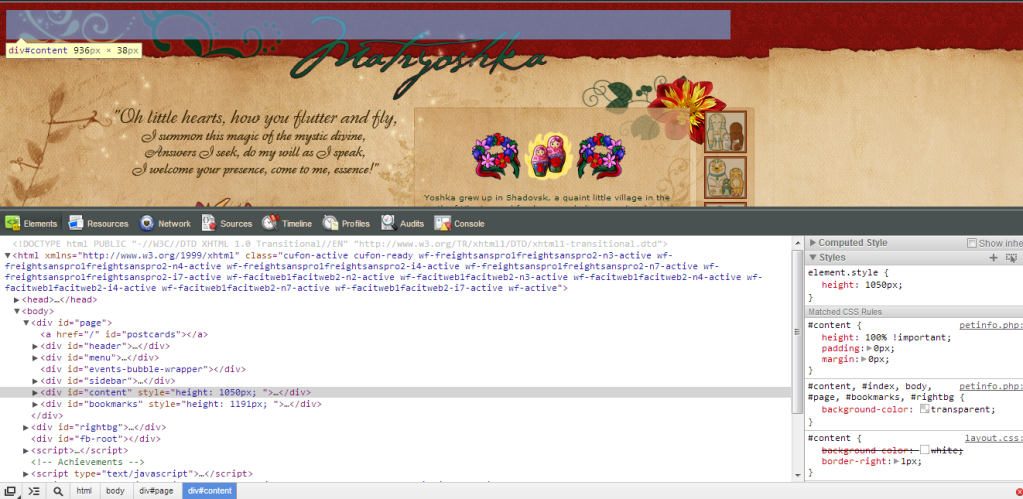
[/font]
Well thank you for trying, I really appreciate it ❤️ Hopefully I can eventually figure what the heck is wrong xD
i'm sorry I couldn't be of anymore help :(
[/font]
no it's fine bb! don't worry about it ❤️ i am clueless about things like this so just you trying to help me means a lot /squishes/

I know for sure I saw a thread on this issue in either bug or help, but I can't seem to find it now.
Either way, someone said this would fix it:
.container-fluid { margin:0px; }
Thank you so much!!! That totally fixed the problem :D ❤
Well, I only delivered the information. ;) Someone else found the fix.

It's just that your content isn't positioned. Adding position:absolute; to this part
{height:100% !important; padding:0px; margin: 0px;}
fixes the problem.
[edit]
,
okay, that works too :P
Looking to adopt a December 31st, 1969 glitched date pet