Leviathan Hunting sonar broken
Filter
Show Official Posts OnlyReplies

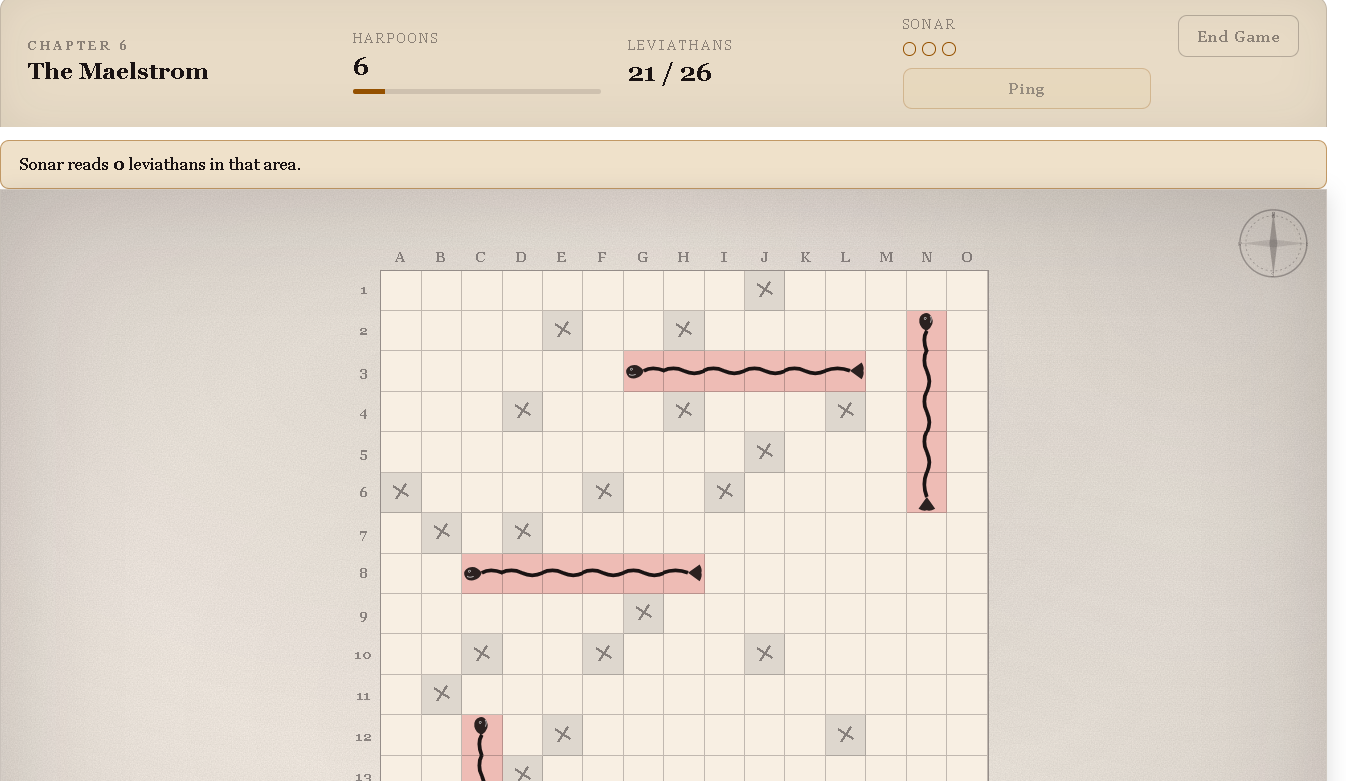 I used the sonar on N2 and it had said Sonar reads 0 leviathans in that area.. I am ABSOLUTELY certain I clicked on the sonar, and absolutely certain that's what it said (I'd had a similar issue earlier in the day, but thought I must have messed it up somehow, but this time I went slower and was deliberately using the same 3x3 corner spots each game.)
I don't think this was an issue prior to the changes you made earlier today, or at least, I hadn't encountered it in my plays before today.
I used the sonar on N2 and it had said Sonar reads 0 leviathans in that area.. I am ABSOLUTELY certain I clicked on the sonar, and absolutely certain that's what it said (I'd had a similar issue earlier in the day, but thought I must have messed it up somehow, but this time I went slower and was deliberately using the same 3x3 corner spots each game.)
I don't think this was an issue prior to the changes you made earlier today, or at least, I hadn't encountered it in my plays before today.
ETA: 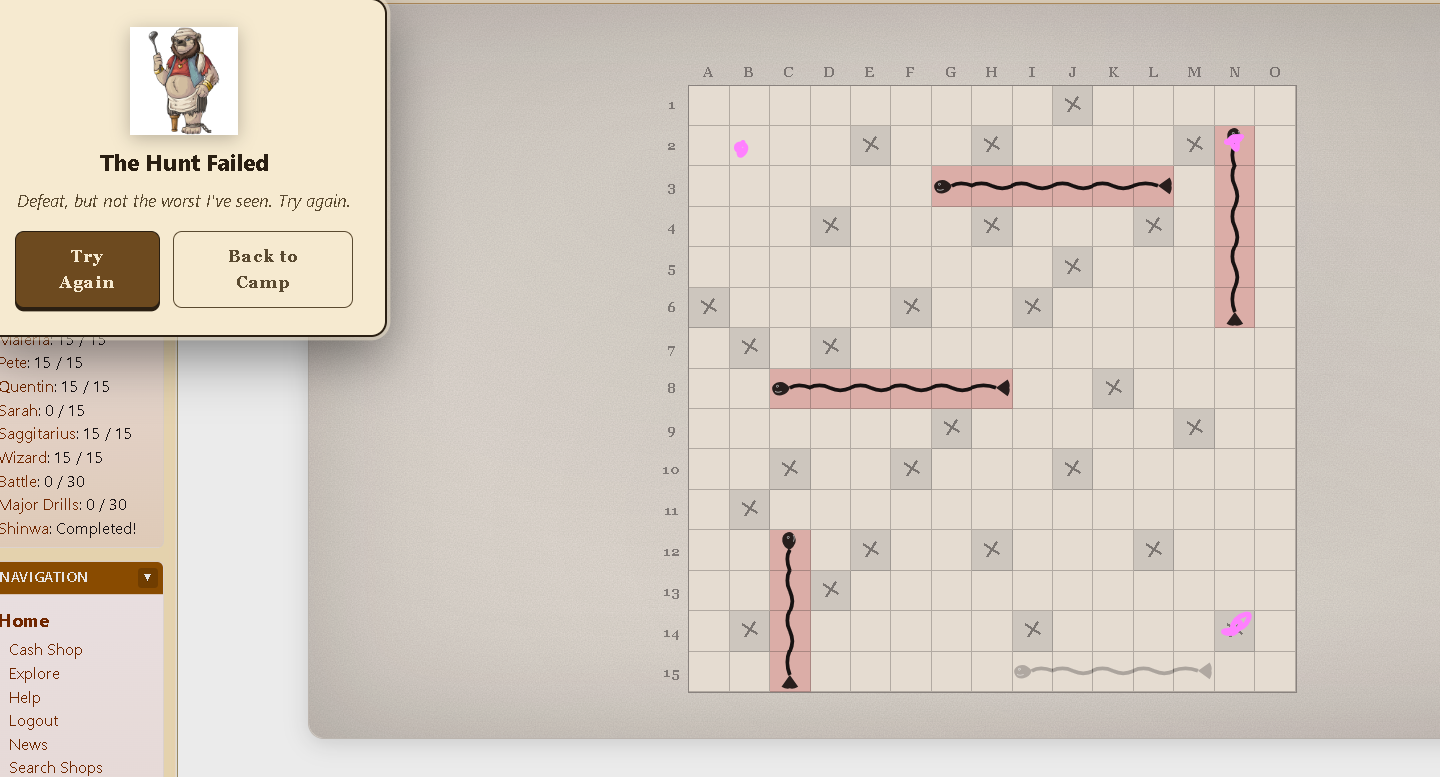 Better example, from the same game once I finished it off. I used the sonar on the spots with the pink dots, all said 0 leviathans found, but 2 of the 3 SHOULD have found them.

I have been experiencing the sonar not working for as long as 2 weeks ago. Windows 11, Firefox. Same issue, sonar says 0 leviathans but then you click in the sonar range and there are some there.
Also, as we have to zoom our browser out to view the whole playing grid on later levels if we did want to use sonar it would then be very hard to read the result - can the result stay on the screen, maybe have a border around the corresponding sonar area when you click/hover the result text? Or the result pop up so you definitely don't miss it.
