Migrating Outfits Error
Filter
Show Official Posts OnlyReplies

I migrated over to new new wardrobe and my saved outfits didn't follow me. And if they did, my avatar changed into a default skin and eyes that I hadn't chosen. I tried to migrate my saved outfits again, and they doubled or even tripled. I deleted the extras, and now they're gone and can't be migrated any more. And we're only allowed 10? I went back to legacy to check and all of my saved outfits are there, but now my arms and legs on my avatar are gone. Have to say, not impressed with new new wardrobe so far . . .
Heh, now I'm naked and my outfits are nowhere to be seen at all.

Keith told me that the default eyes are part of thew new wardrobe system-they cannot be removed, only hidden
🌹 Beloved Brother 1989-2018 (10/17 - 02/19)
Grammy 1937-2021 (11/14-10/28) 👼

the current version of the wardrobe is unusable for me because of the disastrous kumos outfit migration: I have to use the one on "new" that has my actual outfits on it. The current wardrobe apparently kept my broken, locked kumos outfits.
Is this still being fixed? Do I need to file a ticket?

Can you try migrating your outfits again? A ton of work has been done on that - and if you need me to clear out all of your existing (subeta.net - not your new.subeta.net ones!) outfits to let you run the migration again, let me know. I said it in another topic but I think I might need to add a "remigration" button so that folks can overwrite their broken migrations from the Kumos wardrobe.
I also increased the limits significantly on the wardrobe so that you shouldn't run into any problems trying to migrate large collections of outfits.
💖 ✨ 🤗

I decided to try migrating my outfits again... didn't even get to the migration part before i got slapped with a bug.
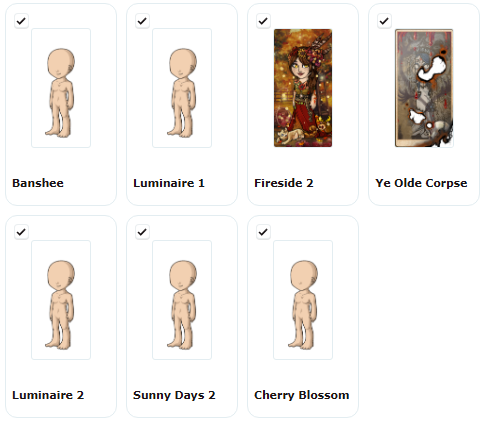
Because those are definitely outfits. And while it isn't as important it's kind of weird that the order of the outfits is completely different to classic wardrobe
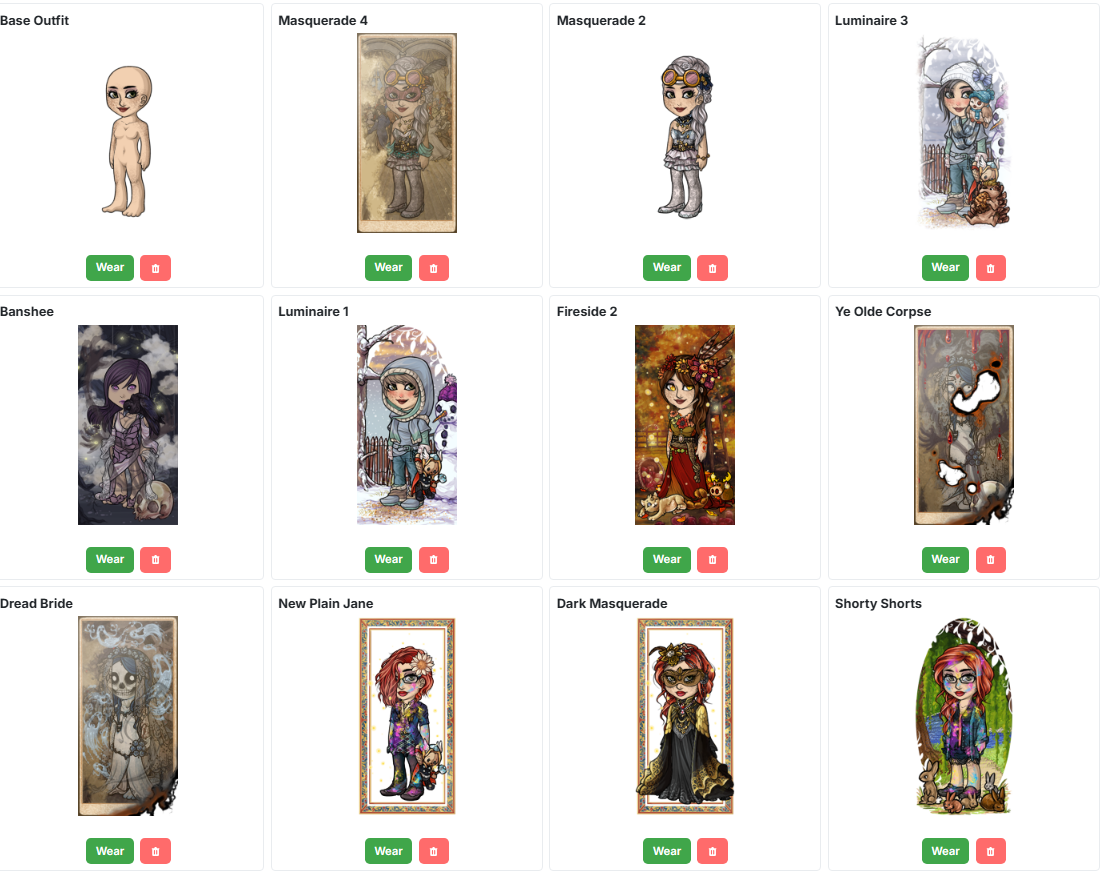
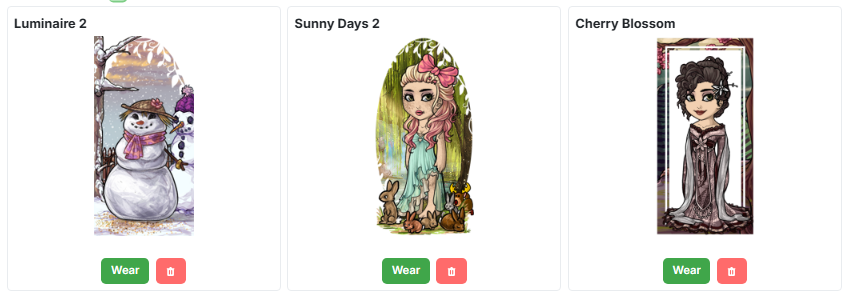
ps: the good news is with the updates to the site i can actually include screenshots with my feedback now
pps: i think i'll be sticking to classic for now - both for the outfits, and because the interface is a lot more intuitive and not as complicated and convoluted as the new
I'm trying to resolve these bugs (and take feedback in the feedback forum) because the classic option won't be available forever, and I'm trying to get all of these bugs squashed so that we can move people over.
Thank you for those outfits, I can dig in and figure out why they aren't transferring specifically 🔎
💖 ✨ 🤗
yeah, i figured classic wouldn't be available forever alas. appreciate all your hard work, and i'll be sure to go leave my feedback in the appropriate spot
is the doubling up of 'outfit ##' names "normal" when migrating? if i wanted the outfits to be in the same order as on classic wardrobe would i have to do it one by one instead of bulk migrate?
Nope, something funky is going on there - I'll investigate. This is hopefully the last big piece of helping people migrate successfully, and it's hard because those outfits are years of old formats stacked on top of each other.
and i would assume they'd be in the same order, but it looks like not! i can make that explicit in the bulk migration.
💖 ✨ 🤗

One thing about the order is that, for me, it keeps reverting to recently saved. I'd like if it would stay in alphabetical. And what's sort of disconcerting is that outfits I haven't touched for a week or more keep showing up as the most recently saved with today's date... not all the outfits, but just a few each time?
<p>and i would <em>assume</em> they&;d be in the same order, but it looks like not! i can make that explicit in the bulk migration.
thank ye muchly ❤
hi everyone! click on 'migrate' on that page, and then there is a reset migration button 🧼 that lets you reset your migrated avatars and bring them back over again.
This should resolve a lot of the problems, especially depending on when you attempted to move them over (no hair? too much hair? hitting the limit?)
Give that new flow a try, and hopefully you'll have access to all of your outfits from the old system 🤞
💖 ✨ 🤗
Do I have to do all of them, and rename them all again? Or can I just do the one messed up one? Are avatars I've made since then safe?

Thought I'd stop by to say I tried resetting and migrating my outfits again since I had two very broken outfits that I couldn't even remake item-by-item from scratch and have save correctly, and they finally migrated without becoming just a nude base!
Unfortunately, migrating still eats the hair from something like a third or so of my outfits.
In the event it helps, here are some of my troublemakers under the spoiler!
SPOILER (click to toggle)
Private Outfit Private Outfit Private Outfit Private Outfit
xe/they/she
<p>This should resolve a lot of the problems, especially depending on when you attempted to move them over (no hair? too much hair? hitting the limit?)</p>
<p>Give that new flow a try, and hopefully you&;ll have access to all of your outfits from the old system 🤞
Well, the good news is everything did get migrated, there were no double ups or blanks, and everything was in the original order (yay!) but uhh...
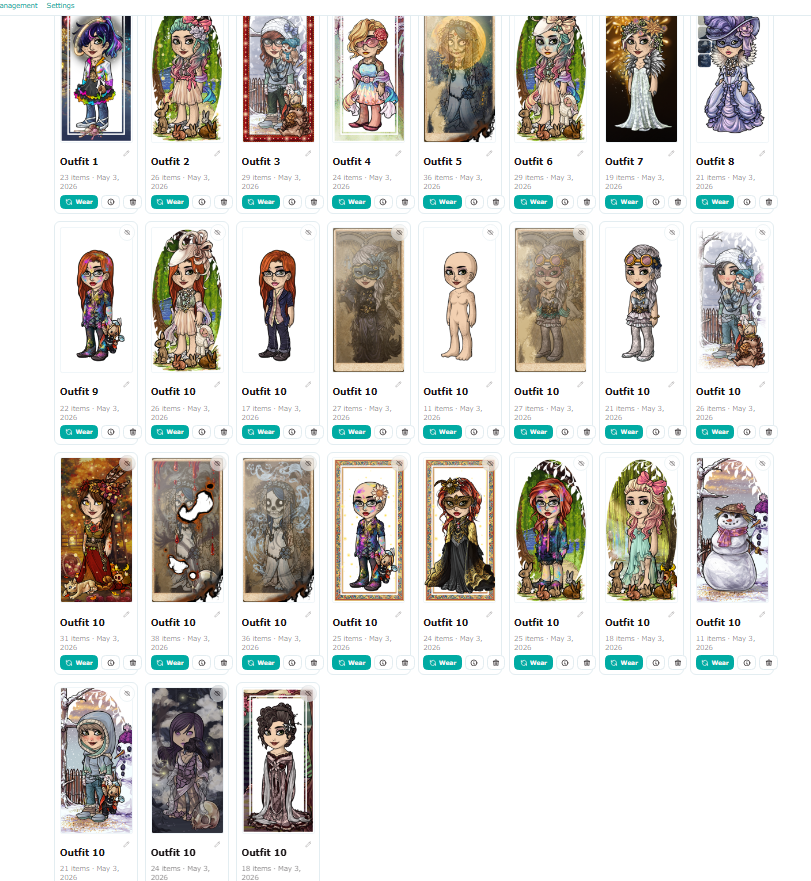
apparently the system gets the teeniest wee bit confused once it hits the 10th outfit 😅 and also the one outfit that uses hair and not a hair item is missing it's hair
still overall i'm counting it as a win. thanks Keith 💖
Okay so.... I ended up not remigrating because I only have one problem outfit, which I see as awesome, plus I already culled my utfits and renamed most of my 119 "Outfit 10's" so I will just also share my one problem outfit.... It actually uses real hair too, and it's a little strange in that the hair shows up!!! Just not when you wear it :( So I'm curious now if it shows up when the outfit is shared, so here we go.
Outfit Not Found
Do we need to manually fix that or just wait for a patch and re-re-migrate?