Big emojis/images on Firefox/Chrome(fixed)
Filter
Show Official Posts OnlyReplies


Is anyone seeing what I'm seeing on various threads? Everything hosted by a third party website (puush, imgur) is showing up BIG pictures instead of their usual sizes. Am I the only one?


oh I thought it was just me seeing emojis that are ginormous is so creepy
.: draco dormiens nunquam titillandus :.
What browser do you use? It only applies to forums for me. @ holtby
OH I'M NOT ALONE! It might be a SubetaBug then?

Thank you :) It's helpful so I can perharps make a thread about a potential glitch.

SORRY ABOUT THAT. FIXING IT NOW.
🐝 ☕ bug (he/him) | your friendly neighborhood code wrangler. stay in the loop! join and check out the latest admin post highlights
THAT IS ONE HELL OF A GIANT COFFEE CUP. Thank you for seeing my cry for help haha.
 omg its going to eat us
.: draco dormiens nunquam titillandus :.
It's okay, that one is allergic to nuts so you at least are safe.
🐝 ☕ bug (he/him) | your friendly neighborhood code wrangler. stay in the loop! join and check out the latest admin post highlights
thank god bugs are very high in protein you know. if you need a safehouse you may borrow my shell
.: draco dormiens nunquam titillandus :.
Thanks, you're the best. I'm really glad we could share this symbiotic relationship, and I look forward to discussing future business opportunities.
🐝 ☕ bug (he/him) | your friendly neighborhood code wrangler. stay in the loop! join and check out the latest admin post highlights

Just posting to mention I'm still having this issue (as is Frenchie, as you can see in the screencap)
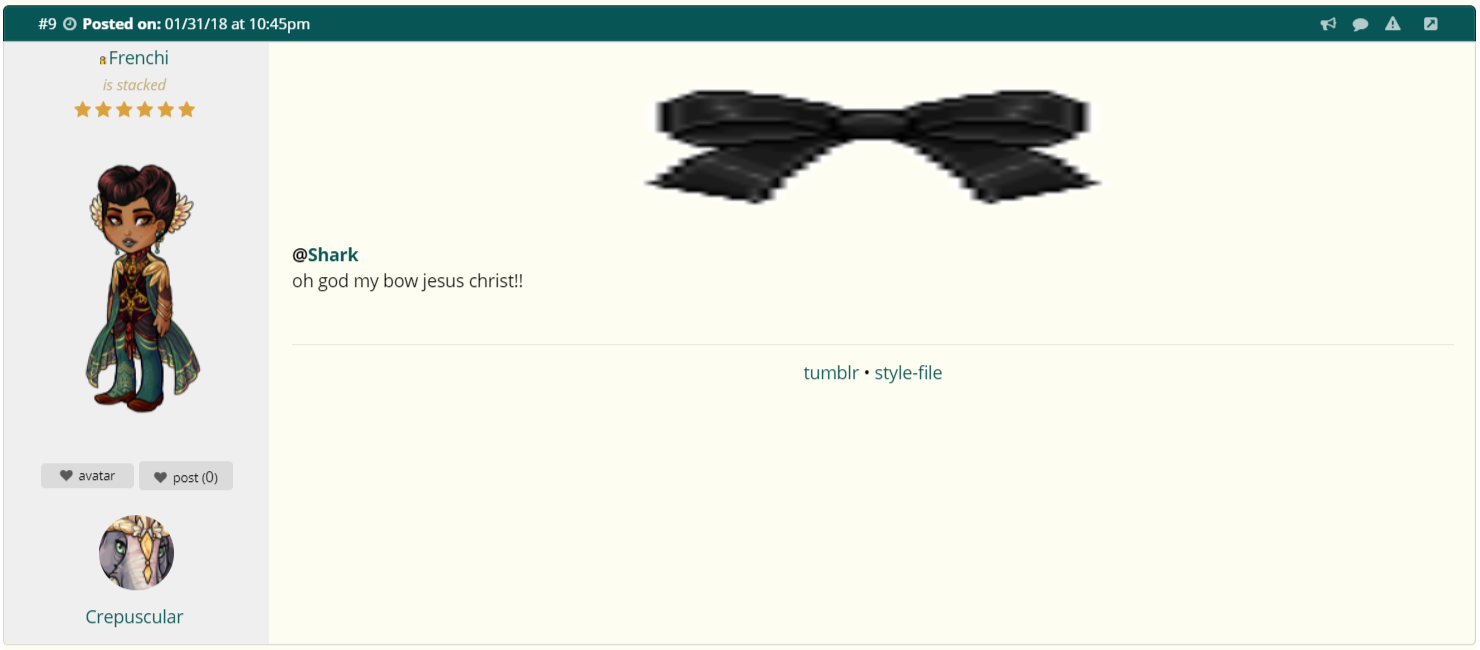 I'm on Google Chrome and on a Dell pc (so not a Chromebook or anything like that) if that helps you any? (I know you're already aware of it but the topic says it's fixed and it isn't, or at least isn't completely, so I thought I'd post just on the off chance I should mention it. If it's still a wip then just ignore this aha.)
wanted: any pet with a March 22[sup]nd[/sup] 2019 birthday
event clickables
❤ ❤ [egg=shark] ❤ [tp=shark] ❤ ❤ ❤ ❤
Please try clearing your browser cache. This goes for anyone else who still has this issue - it was a CSS error and a fix was pushed but your browser might have the wrong version cached.
🐝 ☕ bug (he/him) | your friendly neighborhood code wrangler. stay in the loop! join and check out the latest admin post highlights
No dice, but I'm sure the issue is on my end if you already pushed out a fix for it. I'll try a full restart later tonight (as I'm going to bed soon anyway) and hopefully that'll clear it up. Either way good to know, sorry I didn't try that sooner/on my own aha. I've linked Frenchie here as well so they can try clearing their cache and hopefully it'll work for them!
wanted: any pet with a March 22[sup]nd[/sup] 2019 birthday
event clickables
❤ ❤ [egg=shark] ❤ [tp=shark] ❤ ❤ ❤ ❤
Wanted to mention that I am also having the problem still, specifically with the bow took a screenshot of. I cleared my cache as well but no luck. I'm on Chrome. The pet images were enormous for me yesterday, but those are back to normal now.

i've cleared my browser cache, done several hard refreshes of the site, removed and re-added my forum image (since that's the one i've reliably noticed an issue with) and it still is uhhhhhhhhhhh big.

's ribbon is still very big to me as well.
I will change my title so it reflects the situation.

It could just be the top ones that are broken (or maybe bottom as well, but I haven't checked those) ?
The right side forum images are showing fine for me, but I'm also seeing 's bow as huge. And also 's post here is showing the top aligned forum image as big and stretched out as well.