☀ CW Denial / Help Thread! ☀
Replies

More apparent how? Its name was 'Shining Star of Joy' ~ Thank you for helping!!

More apparent as in making the glow brighter! Right now it's pretty faint and blends in a bit, maybe when it's in queue they're not understanding it's glow? (since everyone's monitors are a little bit different, maybe it's just now showing up properly!)
And oh! I think the name is fine then =P hehe NP on the help. C:
ok what about this:  I made the glow stronger/tried to fix some of the stars orange lines~
That definitely looks a lot better for sure! A lot more vibrant too C:
If you're happy with it, yes! Just let them know what you've changed in the notes so they can take a closer look C:
Absolutely! I hope it gets approved this time C: Good luck n_n

Username ---
Link to the overlay(s) --- female male
Link to the CI --- click click
What do you need help with --- Denial as below~ I'm not too sure how to re-shade this to adhere to the "newer" submission art style...
Was there a denial --- Yes;; • OVERLAY: Please refer to the notes on this item • OVERLAY: Artwork does not match Subeta style, quality, or level of detail in general • I'm going to refer you to some sweaters on Subeta that I think you should study for shading ideas! What you have here is very dark shading and light highlights that are right up against lineart, making the overlay look a bit sharp/overlay contrasted and dated against our newer releases. There's a little too much of the base colour showing too, too much area without shading can make an item look flat if you're not careful. Try looking at the Warm Citrine Sweater and White And Gray Snowflake Sweater to see how they've done the shading - how much area of the base colour is covered + the contrast in shading + the way they've shaded the clothing folds. The item is looking good though - although should that be 'Coffee' rather than 'Cafe'? Good luck!
Optional
Can we take a look at the PSD files --- I only have SAI files here~
Can we redline --- Yes
Thank you for any help!
❤️ design shop ❤️ release thread ❤️ ping group ❤️ foodgram ❤️
Forgive me, I've been incredibly sick all day and I just woke up from my third nap and I'm a little wobbly atm. LINK
The top section is to show you your colors, which are fine as they are. The problem is how you're using them. I've showed them together, and the top shows them evenly distributed so you can see each color, which is more along what you're looking for. The bottom shows how you have little highlight, and your darkest shade is very close to filling your middle shade all the way, making the whole area appear darker.
The second part is the wearable, and I've very roughly shown an idea of how much more of the area (in my style) needs to have shading with that first darker tone, before you go back in with the darkest shade or rehighlights.
If anything I said is confusing, please just ask I know I may be a little derpy responding atm.
--
Also for the thread in general, I will probably not be posting to help with denials after this until after Christmas. If you need help / haven't gotten help by the 26th feel free to ping me personally or comment me to let me know you're still seeking help after then. TY guys and hope everyone has a nice holiday P:

has given you some great advice! I would like to chime in as well with a little insight from my perspective.
Right now, your shading is very harsh, both in the actual blocks of color being very sharp (subeta allows a little softer shading, now), and in that the colors are very stark and high contrast. I would actually lighten the sweater even from the range that Mesmer suggested (it still looks like it's in heavy shadow on our right side, which I think may be a little too heavy for typical subeta standards), but that's also just my personal opinion/style!
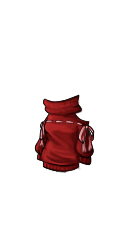
I think you should focus on softening both your shading and your color palette, and working a bit on shadow/highlight placement. Part of the denial mentions highlighting rightt up against the lineart, which can work sometimes, but it ends up making your sweater look a bit flat. I tried to focus on thinking about the shape of the HA body, using shadow and highlight to form a more 3D shape. Not sure if this is helpful since it does take practice, but I hope you can see what I mean in my version above. ^^

Username ---
Link to the overlay(s) --- click click
Link to the CI --- click click
What do you need help with --- Not really sure how to adjust for this - changing the inside lines to black makes it look even worse. Do they need more shading? Unsure in general - wigs are hard XD
Was there a denial --- Yes, Your custom clothing Curious Blonde Foxy Tufts was denied for the following reason(s): • ITEM and OVERLAY: Sticker effect: flatness due to black lineart around the edges and colored or missing lineart inside

would it be possible to post a larger version of both files? Basically the inner lines are simply too pale - they need to be darker, I can try to show a quick example if you'd like!
Cathii's CW shop ❤️
Of course!! Thank you for the fast reply! So something a bit darker? I'd love to see what you mean if it's not too much trouble too! :)
SPOILER (click to toggle)


edit I'm not sure if I helped this or just made everything look darker XD CLICK CLICK Perhaps pointers for preserving brightness of the wig without making it look flat would be much appreciated as well :3
essentially, the sticky lineart means that the inlines arent dark enough - i simply darkened some of them + added more depth (at the moment it is hard to tell which strands are in front and which ones are in the back!)


^ layers of brown on multiply, around 50% opacity!
Cathii's CW shop ❤️
You're a wizard! Thank you so so much for taking the time to help me ~ <3 Would you mind if I pinged you again in a few minutes for my fix?
(PS I'm such a huge fan of yours XD ... scampers away)
ill be around for another hour-ish n_n Aww psh!
Cathii's CW shop ❤️
How's about this?
-edited-

Do you have any tips for making lighter color wigs stand out more without looking too flat? I always seem to have trouble with going with too much darkening and the wig loses its original color intention XD
it does look better in terms of depth! The top of the head seems a bit dark, you could probably lighten that up a bit!
I usually add lighter strands that go over, kind of like this --

 where the highlights are -- what it looks like with the appropriate color
Cathii's CW shop ❤️


