Cannot Move Profile Sections Around
Filter
Show Official Posts OnlyReplies

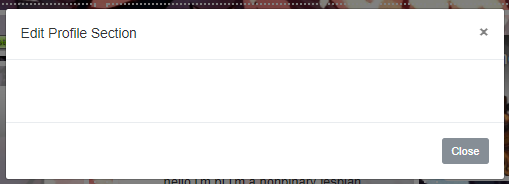
I can't open spoilers on my profile now. There were other problems I had such as my columns being moved and getting weird padding issues but I sorted those out myself. I also had a code to move the editing box to the far right because my columns interfere with that box and the editing box otherwise ends up behind it. Now it's been changed so that the editing box comes up in its own box... Except it's just a blank box for me. It's a personal problem I guess but annoying now, that I have to go to the edit profile box in the user options.
he/him / 31 / EST |  | My best friend is |

ah, i apologize for pinging you again, but while i can move the profile sections around, it wont let me edit them. i just get a blank pop-up that doesn't do anything. :<

It should let you do it if you refresh the page after reordering! :)
I'll see if I can make that more convenient later.
🐝 ☕ bug (he/him) | your friendly neighborhood code wrangler. stay in the loop! join and check out the latest admin post highlights
it's not working. i've refreshed multiple times after reordering, and even after not moving anything :(
Which sections are you trying to edit, and do all of them not work?
🐝 ☕ bug (he/him) | your friendly neighborhood code wrangler. stay in the loop! join and check out the latest admin post highlights
none of them work. i tried editing all panels, and they'd all give me the blank pop-up. i just figured out that it might be something with the custom profile layout, so when i want to edit a section, i have to delete my profile section, edit what i want to edit and then re-add the profile section. a bit buggy, but it works if i do that :'D
Do you remember exactly what you did before this problem started happening?
I'm not able to reproduce this error, and I've tried all sorts of combinations of adding things, deleting things, and reordering things.
🐝 ☕ bug (he/him) | your friendly neighborhood code wrangler. stay in the loop! join and check out the latest admin post highlights
i didn't do anything. i'd go to my profile, click the edit button, and just see a blank edit pop-up. then i tried moving a panel, updating the order, refreshing the page, and editing a panel again, but the same thing would happen. it still happens if i don't delete my profile panel before attempting to edit.
@ bixbite Okay, so you mean that the pop-up is working, but it's your custom profile code that is hiding it somehow (since it works if you remove the custom code). I would ask whoever made your profile code to look into it. Unfortunately staff can't offer help with custom code, so that's your best bet.
[edit] editing to reply to this.
You could also just remove your code that moves the editing box. You don't need custom code anymore, the editing box should behave on its own now :)
🐝 ☕ bug (he/him) | your friendly neighborhood code wrangler. stay in the loop! join and check out the latest admin post highlights
@ Bug If I do that then the update order /add section is totally blocked behind my profile thus I had to move it to the far right so I could access it. All these problems likely comes all down to me being a coding scrub :P I'll figure something else out. I'm experimenting with a fix, it's all good now. :)
Though I still can't get spoilers to open on profiles now, not sure if you saw that.
he/him / 31 / EST | | My best friend is |
I'll check on that tomorrow and I'll leave this topic unlocked until that's resolved.
🐝 ☕ bug (he/him) | your friendly neighborhood code wrangler. stay in the loop! join and check out the latest admin post highlights

Just coming here to say that the same thing is happening to me, I can't move profile boxes around, rearrange weapons or clothing in the wardrobe, basically everything that requires you to drag and drop.
I can't be 100% sure but it seemed to happen a few days ago when I updated Opera. I wasn't really paying attention though, so I don't know.
Opera 49.0 (is what I'm using now. It's working on Firefox, but I'd hate to have to go back to them, they're slower than molasses.
Edited to add: That I tried hard refresh, clearing cache and checked my css by removing it and then re-clearing all cookies cache with ccleaner so it's not that.
I'd check your browser extensions and settings to make sure you're not disabling any JavaScript or loading of external scripts on the site.
🐝 ☕ bug (he/him) | your friendly neighborhood code wrangler. stay in the loop! join and check out the latest admin post highlights
I did check by turning them off earlier, at least I thought I checked them all but apparently not because I found it. It was Tampermonkey, the Mouseover Popup Image Viewer to be exact. I think it needs an update after Opera updated because it's worked fine until a few days ago. That's easy to disable though on Subeta, so yay!
Thank you very much for suggesting the extensions, because I probably wouldn't have checked them again :)

Not sure if this goes here... but I went to add the ach box to my profile page and it keeps saying that I already have that displayed and I don't. Is this a temp bug thing or do I need to file a ticket or what?

Since the 'fix', the profile color theme options dropdown is no longer there. I hope this will be added back in.
I'll check on that.
🐝 ☕ bug (he/him) | your friendly neighborhood code wrangler. stay in the loop! join and check out the latest admin post highlights
Nope, I checked :( This is what I see:

[edit]OH OKAY nvm it got moved to the actual profile section instead of where it was before.
It wasn't moved, it was always under the Profile section. Gad you got it figured out in any case :)
🐝 ☕ bug (he/him) | your friendly neighborhood code wrangler. stay in the loop! join and check out the latest admin post highlights
You already have it on your profile, but you've named it something else.
It's like the "Interests" box where it's basically just a blank box you can put stuff in. So on your profile it could be one of any of the custom boxes you have, you'll have to figure out which.
I know a lot of the sections are kinda poorly named/unnecessary or even obsolete like the Multimedia one, but this is something I need to discuss with the other staff before making any changes.
The spoilers thing will be fixed when we update the filter, hopefully soon. I'm going to lock this up since the topic's main issue was addressed and confirmed.
Feel free to make new topics for anything else that comes up :)
🐝 ☕ bug (he/him) | your friendly neighborhood code wrangler. stay in the loop! join and check out the latest admin post highlights