Useful Custom CSS Builder
Filter
Show Official Posts OnlyReplies

WOW, that worked!!! Thank you!

Forum Art by
Signature Art by

This is pretty awesome! :D
soo • nay • gah • mee
seeking
CW wishlist | CWs for sale
[/font]

StatID = 1 for strength.
PetID = Silverfox.</p>
<p>There&;s a bit of a visual glitch, but it does work!
The default selected option can&;t be hidden while the menu is closed, but it will go away with the menu open.
Here&;s an example:

/* remove stat training option for specified pet */

form > input + input[value="872155"] + select[name="stat"] option[value="1"] {

display:none !important;

}
But if you click "Train your pet" before you click in the box to change the stat, it will still train the stat that you blocked. :( So it is just more of a reminder that you don't want to train a stat than saving any clicks when setting up trainings. (I'm training speed higher than defense on my t13 pets)
Is there any way to change the order of the stats in the drop down box?

Oh you're totally right, I hide speed so it rarely ends up being the default selected option, but in your case it's less useful. We can't reorder them, set in stone 😭
Thanks for the reply and thanks for all the custom css! I use a lot of them!

@ Sorcerer I think the birthday icon doesn't work with the new widget revamp because today (Aug 10) is my birthday and I do not have the icon in the friends list widget or the Subeta: Username widget
EDIT: Okay maybe it isn't your code. The old one doesn't show it either. Nor does it show in the forums EXCEPT in the posts...

[edit] Oops sorry, seems I can't read. I posted on the wrong topic. Sorry.
| [flower=Damon] | [tot=Damon]

This is hands-down the best thread ever. Thank you so much !
[flower=SEA]

Have I told you lately how much I love your code? ❤
I know you helped me space my pets headshots on my profile before, but I can't find the code on your page. Can you help me again?
Your page, btw, ROCKS!
(and , I missed that ping) Thank you guys! So happy it's helpful! ❤
Nice witch hat, I need to change into something spookier!
This looks like a bug actually, I'll go make a thread about it.
This will fix it for your current setting of three pets per row :D
/* 3-per-row pet headshot spacing fix /
/ --center text /
 .avatar_head {
margin: 5px auto;
}
/ --even widths */
 tr td {
width: 33% !important;
}
Thanks so much! Now I just have to wait for the site to catch up... lol

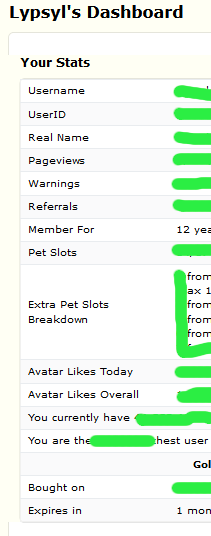
on the Personal->Dashboard page is there any way to remove a line of text and the generated result? Maybe I don't care about Avatar Likes, or pet slots?
Ex. lets say I have no referrals, will never have referrals and seeing this 0 in my face every time I want to check my GA status drives me nuts. Can I get rid of that line - or any other line that bothers me?
In loving memory of Need posting achievements?Then join Posting Frenzy Achievement Items - searchable list List of Borders and cutouts New at Fresh and Flavorful Ping Group
This is ridiculously specific and shouldn't have any unintended effects. There's no easier way :p
/* user dashboard - remove specific rows */
 + > h1 + .prefscontent > h2 + .ui.segment > .ui.grid > .eight.wide.column:first-child > h3 + table.ui.segment.table.small > tbody > tr:nth-child(6) {
display: none;
}
beautiful! Thank you :D
In loving memory of Need posting achievements?Then join Posting Frenzy Achievement Items - searchable list List of Borders and cutouts New at Fresh and Flavorful Ping Group

edit: (whoops this was posted in the wrong thread sorry!!!!)
 🎶 keep the nightlight on inside the birdhouse in your soul 🎶
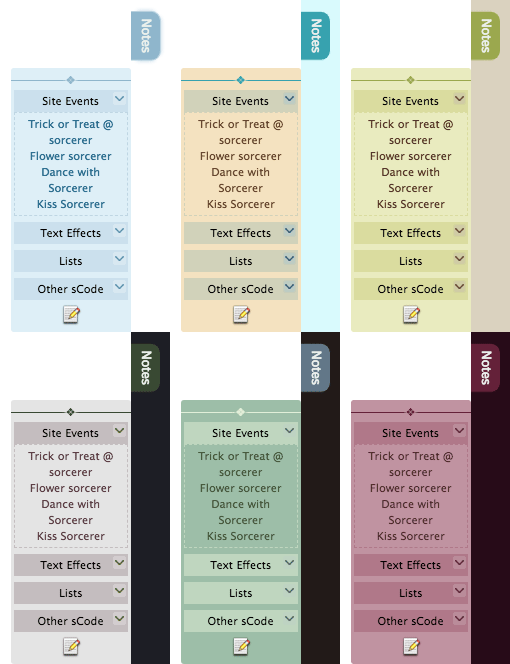
📒 -All-Widgets">Notepad Widget
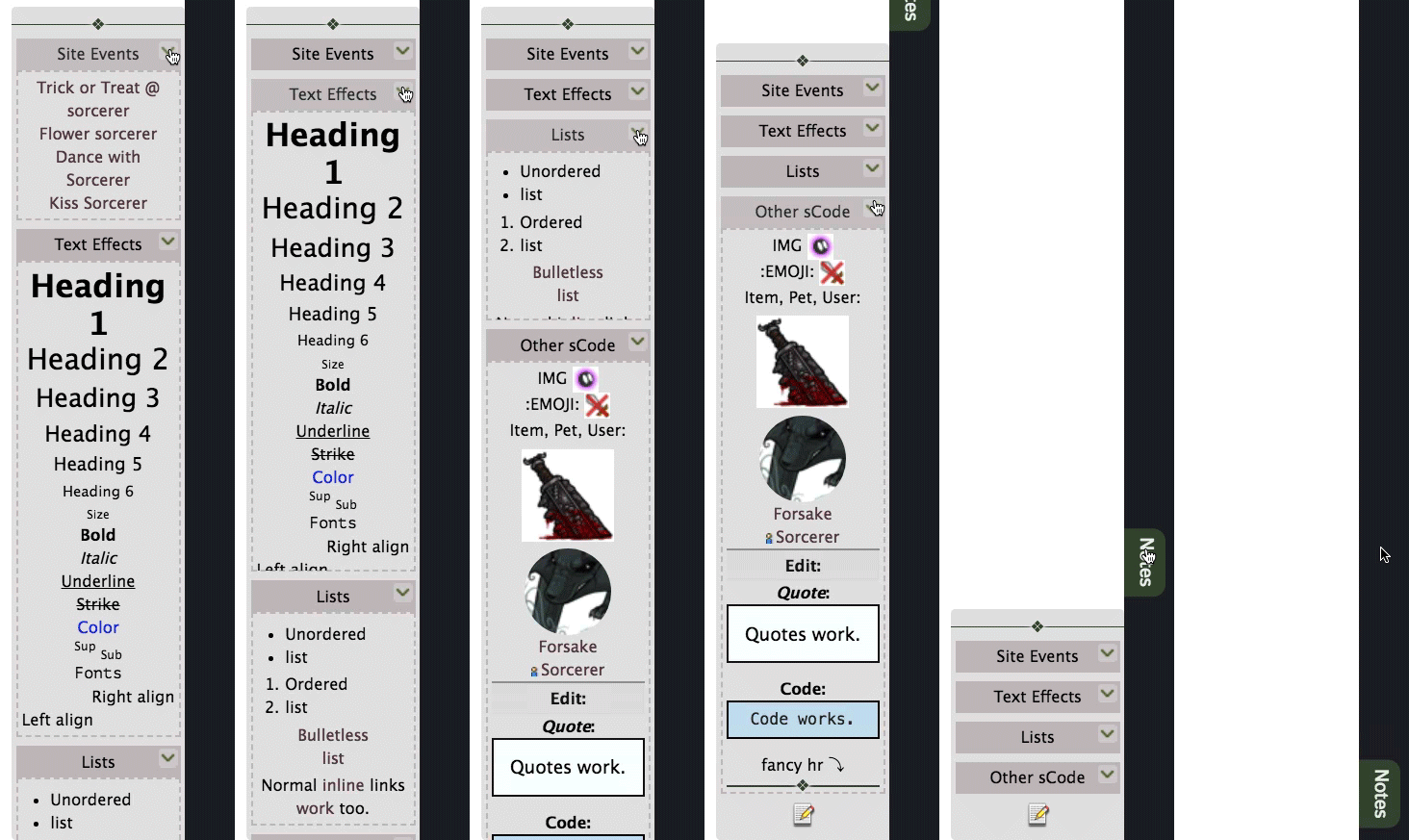
- Huge update for the notepad widget.
- Previous overhaul was simple, only lists of links, now you can put anything inside!
- Supports all sCode. Spoilers are the most important part though.
- Becomes scrollable instead of overflowing past your screen height.
- Line break situation in editor is a lot less messy than site default.
- Updated themes.
- Makes items in NPC shops look more like user shops.
- New font, colour, and spacing, make prices/names easier to read at a glance.
- Item images are bigger, less blurry, and don't get squished.
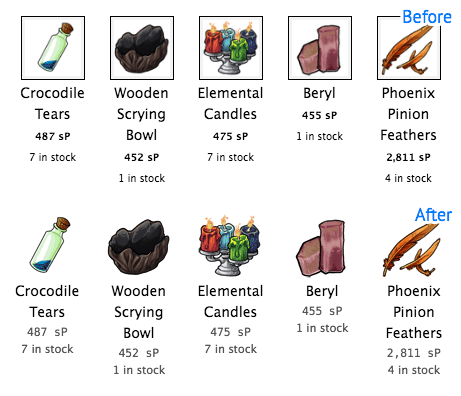
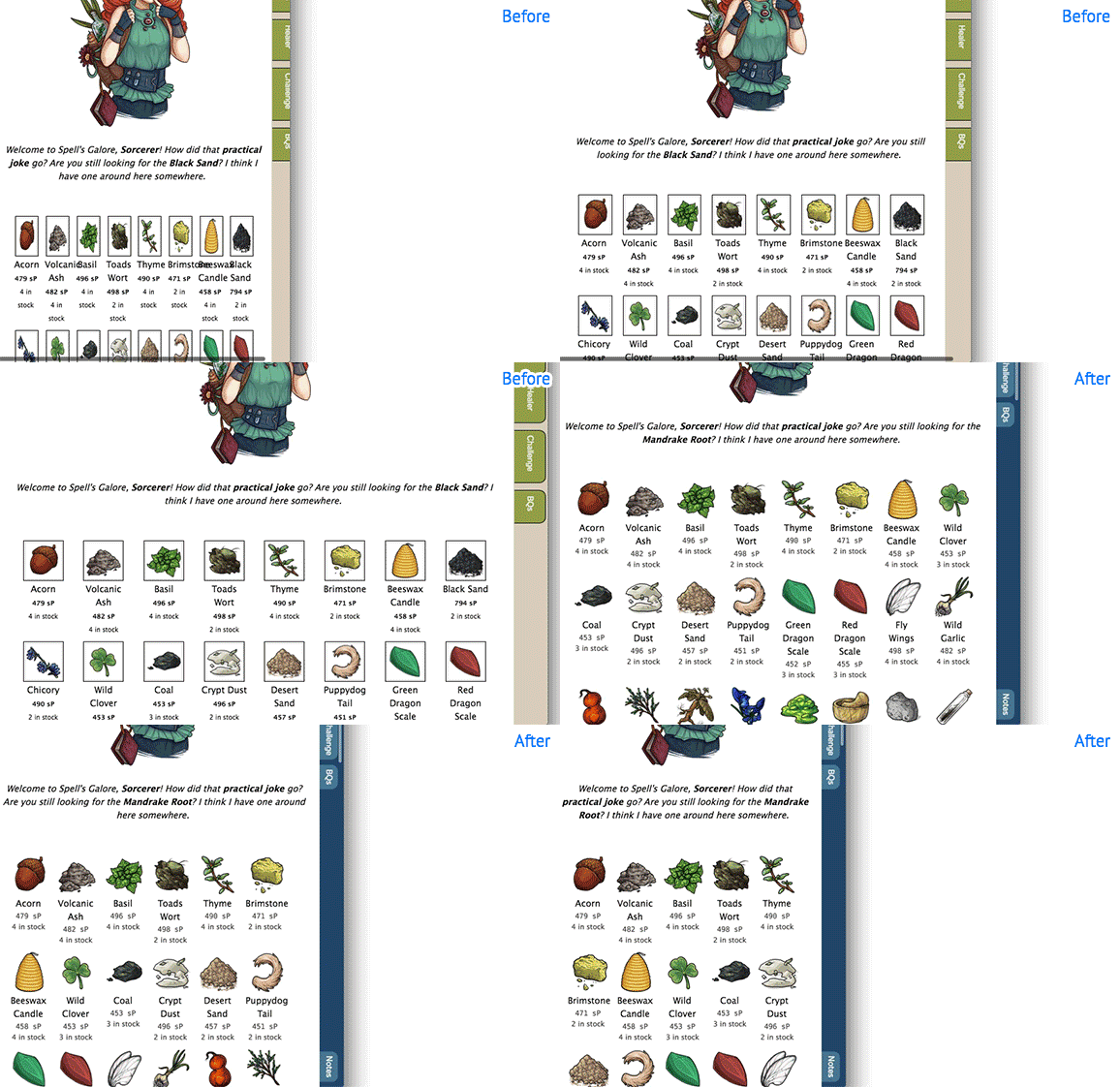

<3 <3 <3 <3 <3 Seriously, been forever since I needed NPC shops to work on smaller screen! I was actually zooming out to not get squish items...
🙅🙅 The blurry images (since they get scaled down by a like 8 pixels) is the part that really gets me!

.....I've had spoilers in my Notepad for quite a while now. Where have you been? Spoilers, links, specifically thread links too, images... I've been using that for about a year now, perhaps just under.


Will you ever make a code that fixes buying multiple items from shops like the quest shop? They made it so now you have to buy each item one at a time and go back each time. This is painfully tedious if there are a lot you want.