Useful Custom CSS Builder
Filter
Show Official Posts OnlyReplies

I need to do this.

Forum Art by
Signature Art by

:Heart:
Exactly! There were some useful widgets that I never used before because the sidebar just got so tall.
Glad you like it! I use it for quick links but you can make it wider of you need to keep longer entries in there.

Silly question on the sidebar code: Can I safely delete the sections for widgets I don't use? 😅 I won't throw the whole thing outta whack if I delete the pet things and avatar stuff right?

I've deleted a couple and so far it works fine! :)
Each section is self-contained so you don't have to worry about unintended damage. ;D
Just make sure you delete the entire section.
Sweet. Thank you for taking the time not only to answer my question but for putting all of this together for us. ❤️

this is amazing, thank you so much for your continued efforts ❤️

Is there anything I can do to make the sidebar narrower? I have a narrow screen and the sidebar takes up like 30% of it, but I don't want to hide it completely since I use it :/

whoa, I messed up something good and proper.
{letter-spacing: 0.06em;}
How on EARTH does that make forum posts appear underneath the HAs instead of to the side of them?
annotated screenshot of post above mine

useful threadsThe Giant List of Usability and Random Improvement 2.0 Comprehensive Guide to Battle Opponents (v2) [topic not found]
|
[topic not found] |
Very weird I don't know why! I'd pick a new font that's less condensed by default 😬
What devices do you use? I can definitely help.
@ Sorcerer And now down the font-family rabbithole... :D
Meanwhile, please could you tell me how to change the font size on these elements? I got as far as using the Inspect tool and finding what it says, but have no idea what to do next.
In Inventory, the item names and rarities: 
In Shops, the price and number in stock: 
For Mystery Box, the price: 
[edit] I'd also like to be able to do something with these:
In Training, the big wodge of text that Jim says, between "Welcome to the Training Center" header and "Back to Riverside Valley" link
In Questing, each Questgiver's flavor text that the TLDR is "here's my shopping list, also a link to my quest shop".
This is as far as I got:

useful threadsThe Giant List of Usability and Random Improvement 2.0 Comprehensive Guide to Battle Opponents (v2) [topic not found]
|
[topic not found] |
We can't change the font-size on inventory items because there's an inline !important ;(
When making small changes like these, the catch is making sure you don't accidentally change other pages.
on all pages
Obviously this is bad. inside inside.
Maybe if the had a class, or the styles were a specific colour, or pixel based width. with a sibling of mystery_box.gif that is inside [edit]
Training Page: Nothing we can do here, there's no anchoring point that's guaranteed to be unique to this page.
Quests: Same as above for the flavour text. You could target the items and shop search links if you wanted to, it would just be a crazy long selector like:
/* questing: item image */
.row.mb-3 + .row.pt-3 > .col-4.text-center + .col-8 > .row .col-md-3 .text-center[style="height: 135px;"] .wl_item {
border: 1px solid red;
} /* questing: item name */
.row.mb-3 + .row.pt-3 > .col-4.text-center + .col-8 > .row .col-md-3 .text-center[style="height: 135px;"] .wl_item + br + span {
border: 1px solid orange;
}Mystery box price example
p {font-size: 1em;} Changes all div[style="width: 80%; margin: auto; text-align: center"] p {
font-size: 1em;
} Changes only div[style="width: 80%; margin: auto; text-align: center"] img[src="//img.subeta.net/mystery_box.gif"] ~ p {
font-size: 1em;
} Changes only npc shop prices
Each setting will inherit the previous one. So you can do 100% and they'll all match, or 100%, 90%, 90% and they'll become progressively smaller. Coloured for visual aid.
/* npc shops: item font size /
/ --item name /
.shop_item_container[style="padding: 5px; margin-left: auto; margin-right: auto; width: 95%;"] .ui.grid .two.wide.column form[action^="shop.php?shopid="] {
font-size:100%;
color:red;
}
/ --item count /
.shop_item_container[style="padding: 5px; margin-left: auto; margin-right: auto; width: 95%;"] .ui.grid .two.wide.column form[action^="shop.php?shopid="] font[style="font-size:10px;"] {
font-size:inherit !important;
color:green;
}
/ --item price */
.shop_item_container[style="padding: 5px; margin-left: auto; margin-right: auto; width: 95%;"] .ui.grid .two.wide.column form[action^="shop.php?shopid="] font[style="font-size:10px;"] b {
font-size:inherit !important;
color:blue;
}
/* questing: shop search button */
.row.mb-3 + .row.pt-3 > .col-4.text-center + .col-8 > .row .col-md-3 .text-center[style="height: 135px;"] + .text-center a.btn-outline-info {
border: 1px solid hotpink;
}

I wonder, is there a way for me to code it so that the TC on Hara's profile (X) is rounded at the bottom? So that it follows the oval shape in the background?
[Edit] Nevermind, I figured it out myself ;)

I'm having a small issue with the code for selective stat training. For some reason I can't get it to work with Strength. I've tested all the different numbers, and strength for some reason just doesn't work. Any ideas?
StatID = 1 for strength. PetID = Silverfox.
There's a bit of a visual glitch, but it does work! The default selected option can't be hidden while the menu is closed, but it will go away with the menu open. Here's an example:

/* remove stat training option for specified pet */
form > input + input[value="872155"] + select[name="stat"] option[value="1"] {
display:none !important;
}
I guess the visual glitch caught me up, because I was confused as to why I could still see it. Thank you! :D (Also thanks for this whole post, it's incredibly useful!)


❗ -Events">Random Events
- Animating random events makes them stand out. Includes subtle visual fixes.
- Useful for events that require a click, like Ice King and Tempest.
- Basic changes, plus the same animation as above.
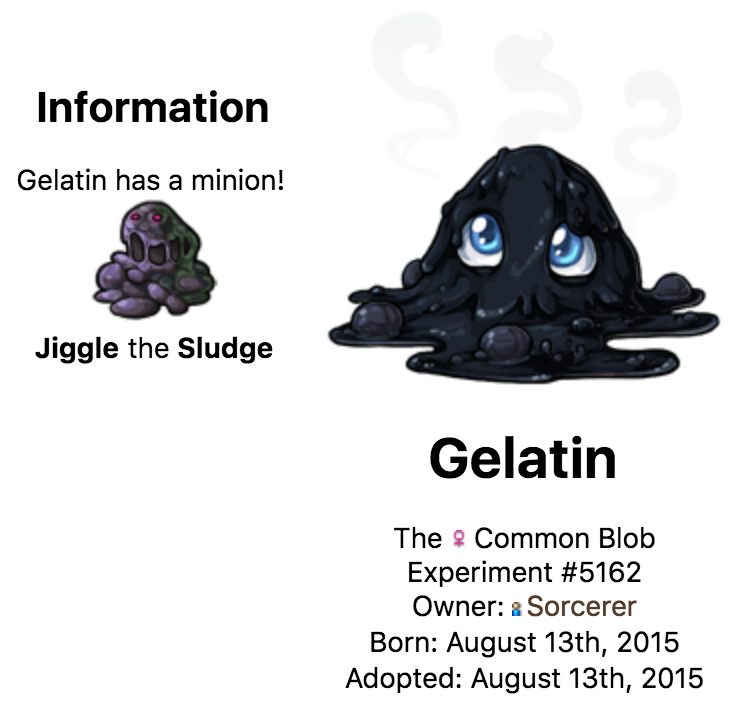
- Extremely petty. Adds Experiment back to the species of your "Blob".
☀ Dark Mode Added
🔒 HTTPS Enabled
- Again, only exciting for me, haha!


SPOILER (click to toggle)
/** user widget "subeta: yourname" **/
/*--hide redundant text /
.x-js-login .sidebar-widget-contents p:first-child {
font-size: 0;
}
/--reset user name size /
.x-js-login .sidebar-widget-contents p:first-child a {
font-size: 14px;
font-weight: bold;
}
/--bold text /
.x-js-login .sidebar-widget-contents p {
font-weight: bold;
margin: 0 0 4px 0;
}
/--padding /
.x-js-login .sidebar-widget-contents {
padding: 4px 4px 1px 4px;
line-height: 1.2;
}
/--unbold links */
.x-js-login .sidebar-widget-contents a {
font-weight: normal;
}
It still looks like this:
 Did I do something wrong? Thanks.
Forum Art by
Signature Art by