Useful Custom CSS Builder
Filter
Show Official Posts OnlyReplies

this should get you started
/* leviathan harpooning */
img[src^="https://img.subeta.net/safe_water"], img[src^="https://img.subeta.net/battleship_tile_monster"], img[src^="https://img.subeta.net/rough_water"] {margin:1px; width:32px;}
img[src^="https://img.subeta.net/rough_water"] {opacity:0.4;}
(scaling images like this is bad bad terrible no good but not like you can see... anything there anyway)
Looking to adopt a December 31st, 1969 glitched date pet

omg that is AWESOME! Thank you so much. <3
Now I can get through the Drills quests sooooo much more easily!
useful threadsThe Giant List of Usability and Random Improvement 2.0 Comprehensive Guide to Battle Opponents (v2) [topic not found]
|
[topic not found] |

Wow I forgot how much I hate that game. If I ever try for the achievement again at least I'll have this. :p
this game is terrible and you should say it :P
❤ I assume you probably know that btw, but just in case, if you are doing these on mobile you might want to up that width:32px; to 50px, might be easier to play then :)
Looking to adopt a December 31st, 1969 glitched date pet

, not sure if this was addressed before but, I have a little issue with the sidebar that I'm unsure on how to fix. On the dashboard tab the background image shows up perfectly fine, but then on the event tab it only shows up depending on the number of events I have. Is there a way to make the image fully show in the event tab as well? Or in the other case, get rid of the image showing up in the event tab, and only have it in the dashboard tab?
Images


Oh jeez is that a morostide layout? Okay. Ohhhkay. I do not see one of the images you provided but I switched to it and I'm guessing this should be your fix ;)
-inner {min-height: 307px;}
Looking to adopt a December 31st, 1969 glitched date pet
, it is the hidden theme (Morostide Theme). I've used it since I got it a few years ago, but as of last year, everything sort of... broke on it. I finally had time yesterday to fix it back up but I couldn't really figure out how to fix the image issue in the sidebar.
Sadly the code didn't fix the issue. I'm guessing it may have something to do with the placement of the events in the tab as when I do get events it starts below the tiny image I do see. If you do need the sidebar image, here it is.
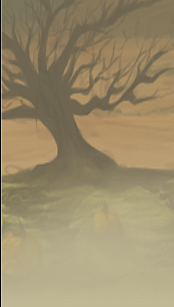
EDIT: After a cache clearing the code fixed my issue. Thank you so much!
Yeah so the thing about some of the special layouts is that they are..... special like that lmao. Meaning regrettably more broken than the regular ones.
I've got to say that's strange, it worked for me when I took all my CSS out and switched to that theme, because you are completely right, the problem is that the sidebar element is only as tall as its content (ie events/widgets), what min-height does, in theory, is set a minimum height of an element. Can you tell me what browser you are using and send me the CSS you already have? (feel free to pm me with the code if you'd rather not post it here)
Haha, gotcha! Yvw~
Looking to adopt a December 31st, 1969 glitched date pet

I was 100% sure there was a custom css for moving up the "make your turn" button during battle, but there isn't.
I'm not sure if this would be really useful but I made one for myself and decided to share it with you, in case you wanna add to the directory:
-ui-main .endBattle a.end-game-btn, input[value="Make Your Turn"] {position:absolute; top:0px; margin:0 -38px; z-index:999;}
art by YURA
[box=#e5f3ff]
2️⃣ Dual Sidebars
- Gee, Bill! How come your mom lets you have two sidebars?
- For fullscreen users, splits the sidebar. Dashboard on the left, events on the right
- Activates when window reaches 1250px wide
- Theme code available to match each site theme
- Blocks new holiday kiss/dance type billboards
- Update your code!
- Makes the tiles larger
- Better contrast between rough, and calm waters
- Textarea improvements now work when editing pet profiles too
- Update your code!
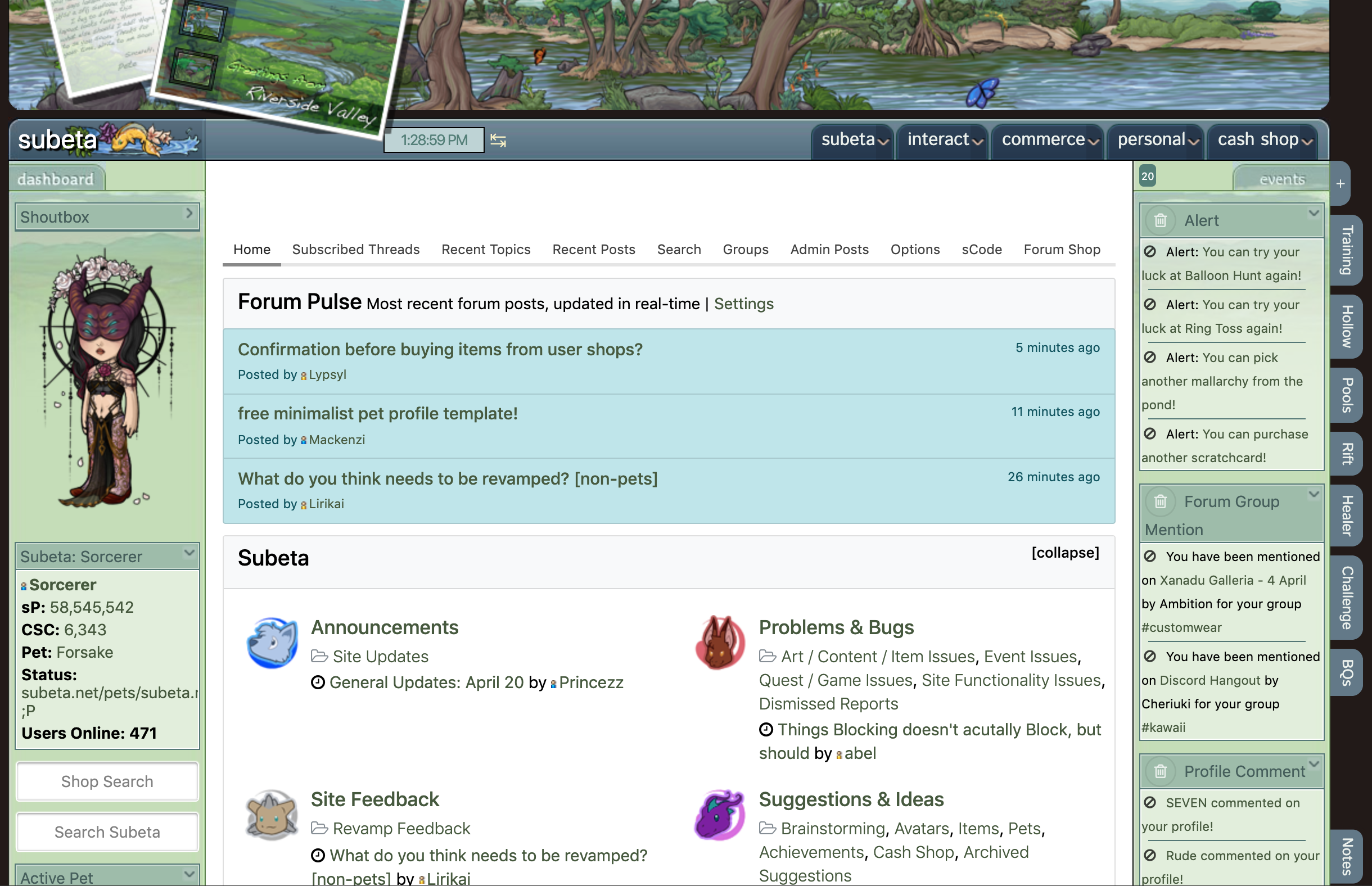

The provided link for the adblock doesn't work, but I was able to find the code by searching through the page from one of the other links. Thanks so much for coding that! I have a browser adblocker so I don't see banners and yet every once in a while I still see a "Kiss user" sCode pop up and it was annoying. So thankfully I don't have to see that anymore. :)
Fixed the link, thanks. If any billboards slip through in the future, come back and let me know. 👍

Thank you so much! Many changes I wanted and needed on my profile.

It looks great but does the toggle sidebar button work for both sides? When I do a split screen I like to disappear the sidebar to have more screen space.
The toggle button works normally. There are three states: No sidebars (toggled off) Normal (click tab to switch) Dual sidebars (above a certain width)
Awesome! I can't wait to try it out. What is the certain width, do you know? Edit I just realized you answered that question in your initial post, but I have another one.
Is it possible to get the right sidebar to only show up when there are events and to disappear when there aren't?
It might be! I'll see what can be done. If I add that, the CSS group will get a ping :)
Hi I used the code for mobile/cell code , it eliminated my complete dashboard/event tabs and made the tabs to the far right to compact. Taking that code off of my CSS and refreshing, logging off and logging back on after removal of cell code from CSS has not changed the problem. My cell is a Iphone 7 plus. Is there a solution for this? I really depend on cell for subeta.
P.S. I removed all codes successful, my right tabs are back to normal on my cell. But the dashboard/events on far left of screen continue to be absent.
Sounds like you hit the toggle sidebar button, it's by the clock.
Oh gosh I hope that is the answer, I will give it a try now. Yep that was it. I did it to my laptop, and same issue. How do I undo that, I tried re-clicking on it and it doesn't change back?
P.S. double clicked and it worked for laptop, now for the cell. Okay its good to go. Thank you so much!