free simple user profile coding and how to guide
Filter
Show Official Posts OnlyReplies

Thank you for this! This was a big help to just get something basic up there-- I didn't need anything crazy, and I your instructions were SUPER easy to follow!

I'm glad you liked them and the profile! n__n

nvm I had a question I figured it out lol
 (art by KayBit on Dappervolk)
that's the profile I have the free coding for in this thread :3
lol I just edited my comment but not fast enough, I figured it out I feel silly now haha I just thought it was a different one because it didn't automatically put everything in one column...
(art by KayBit on Dappervolk)
Amazing!! thank you so much for taking the time to type this out and explain it to non-coders like me! :)
-kb-

help :( it wont work for me. the columns are a mess. what should I do? ...also can i put in an imgbb url for the background url?
 Pet's name: kimo
Chicken Smoothie
Pet's name: kimo
Chicken Smoothie

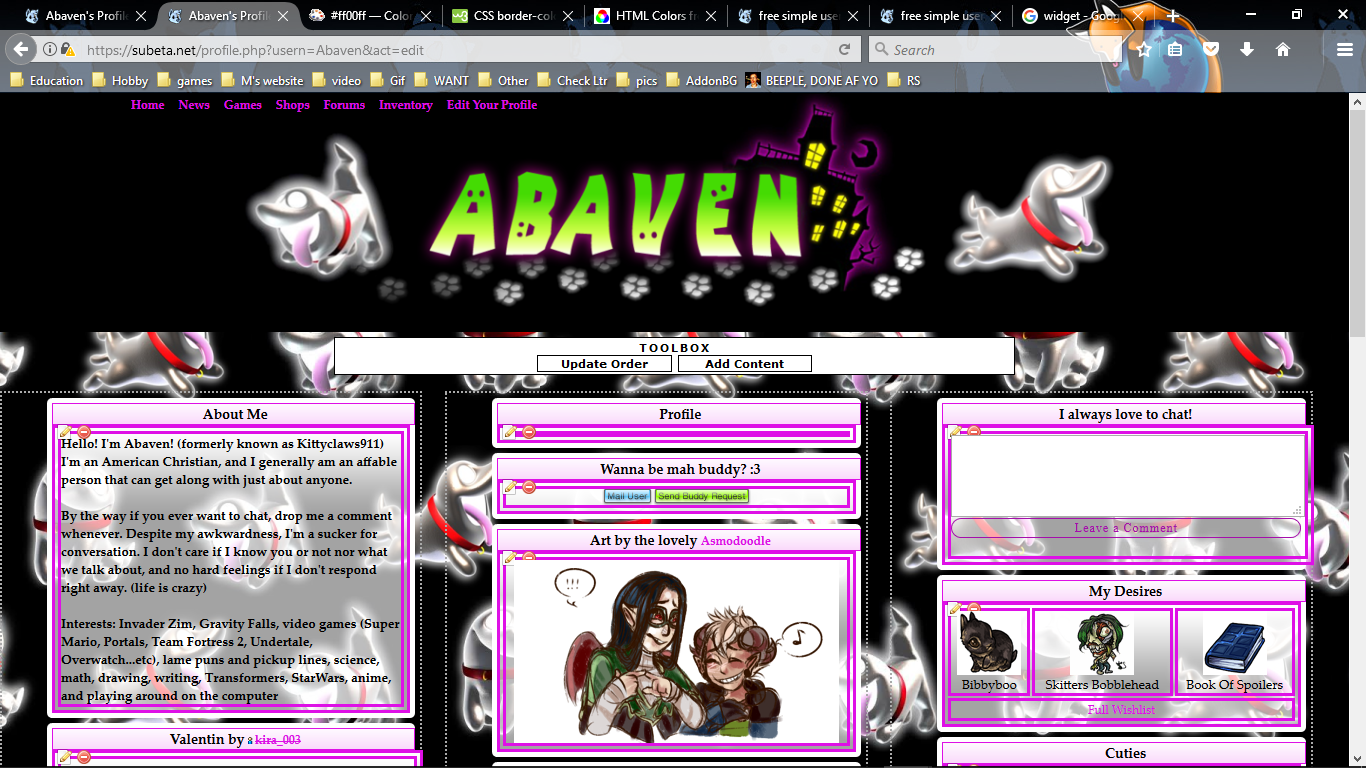
First of all, thank you so much for this guide. I'm a beginner in the realm of HTML, and this just makes editing my profile so much easier. I do have a question about something though if you don't mind... There is a white border around each widget on my profile. I was wondering if there was a way to adjust its size and color? The white just looks meh, and it seems to be messing up the centering of the header boxes. [edit]I've tried messing around with the coding you provided, but it doesn't seem to be changing anything. Is it a separate thing altogether?
[tot=Abaven] [egg=Abaven] [tp=Abaven]
it seems like you defined the border thickness (as 3px) and color (you have it as border-color and listed the hex code for white) under table, td
which made it thicker than the header border and made it look wonky
you need to edit it like
table, td{background-color:;border:0px solid white;}
where you put 1px solid hexcode for a color instead that should do the trick
That's what I thought as well, but it seems that it's a different border. Maybe a visual would help? clicky This is what it look like with the following code...
table, td{background-color:transparent ;border:3px solid ; font-size:13px; font-family:palatino linotype;}
Instead of changing the original border that traces the edges of the widget, a new border appeared inside (the purple 2 lined one), and the original white one stayed the same.
[tot=Abaven] [egg=Abaven] [tp=Abaven]
you're totally right! :0 I didn't notice it because my header color isn't dark enough!
while I haven't figured out how to make it perfectly centered, I fixed a bit of it to make it look less wonky by adding:
padding:0px!important;
to the header bit
Oh thank you! That small improvement in itself made a wondrous difference.
[tot=Abaven] [egg=Abaven] [tp=Abaven]


thanks for this!

using this, thank you!


PS. I love when people offer freebies like this and I in no way mean this critically! I just wanted to mention it, since we've seen scenarios where someone messed up their code but couldn't edit it because the edit buttons/form got messed up too. That's why the Preferences page is nice - it's a place where you can edit the code without having the code affect the edit form.
🐝 ☕ bug (he/him) | your friendly neighborhood code wrangler. stay in the loop! join and check out the latest admin post highlights
ah, I didn't know that actually worked xD so I haven't used it! if I have an issue, I just save the coding and reset from that page but it is such a hassle, thanks for the information!