New Hair Salon!!!
Filter
Show Official Posts OnlyReplies

I'm getting a few broken hair styles. They show a bald preview on the selection page, and a broken image on the colour select page. All error 500's.
Hour (467.png), Near (472.png), Base (466), Bit (470), Enigma Short (441), Key (468), Push (473), Risk (474), Sing (469), Wen Beardless (173). Dunno if the numbers will be helpful, but more info's better than none IMO :)
I also keep getting the occasional 504 with a CORB warning, but after a refresh it works again and the colour select page isn't affected.


Hm, are you still having that problem today with images not loading? They might take a second or two to show up, especially when you click in and it has to build the preview image from scratch. The occasional 504s make me think those endpoints - and the images - were timing out for you, so I'll look into if lag spiked last night and what might have caused that. I'm not noticing any lag or broken images at the moment.
🐝 ☕ bug (he/him) | your friendly neighborhood code wrangler. stay in the loop! join and check out the latest admin post highlights
yep, still the same with the ones I listed. All the other styles load really quickly, but the ones I listed just give 500 server error.
i.e. Hour 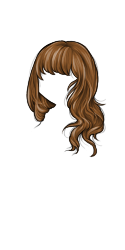 Near
Near 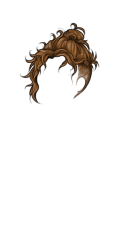
Ohh I see what you mean, thank you for the list. Looking into them.
🐝 ☕ bug (he/him) | your friendly neighborhood code wrangler. stay in the loop! join and check out the latest admin post highlights
No problem. I should probably wait until I've had my morning coffee before I try to give bug reports, maybe then I could explain things properly first time round haha! :)
No worries, I appreciate that you took the time to list everything <3 Those hairstyles should be fixed now, aside from Enigma Short and Wen (Beardless), which seem to be separate errors from the rest... still working on those.
🐝 ☕ bug (he/him) | your friendly neighborhood code wrangler. stay in the loop! join and check out the latest admin post highlights
[] No problem at all, I'm happy to do what I can to help.
I've had clients throw "it doesn't work" at me and subsequently spent hours trying to drag relevant information out of them to be able to diagnose issues before, I know how frustrating it can be, so if I think I can help narrow things down in any way, I do :D

Love this! It's also helped me realise that I have alllll the hairs unlocked - who knew?!

First, great work with the new hair salon! I'm so glad to be able to use it again. :)
I have a few broken outfits as a result of a hairstyle with custom highlights first saved... uh, several years ago. The hair is Calm, 349 in the salon, but in the outfits it is listed as 345, which doesn't seem to exist.
Original outfit: Hazyby Kushinada
The following outfits were made with the hair in question hidden because salon highlights were inaccessible at the time and I wanted to keep the hair for future use. I can re-save these without the hair so I'm just including for the sake of example. Same issue: Private Outfit
Same issue but this one is recognized as legacy style hair with the scissors option. Because it thinks the style is I get indefinite loading when I click on the scissors: Private Outfit
Enigma Short should be fixed now. I also fixed Wen (Beardless) by renaming it to Wenbeardless for now. I'm gonna leave it like that for now, but I've added "make beardless wen work with a readable display name" to my todo list, lol
Omg, seriously, ALL of them? That's really impressive. I have maybe half of them unlocked myself.
Thank you so much! Those examples are really helpful. It looks like the hairstyle data is intact, and it just has the wrong ID, so they should be fixable. I'm hoping to make a script to find and fix all of these since probably a lot of other people are also affected by this - over the weekend, since I'm about to head off for the evening. TY again <3
🐝 ☕ bug (he/him) | your friendly neighborhood code wrangler. stay in the loop! join and check out the latest admin post highlights
I know?! All of them. I don't even remember how I got them all. Pls adjust code so I can wear them all at once thanks /s

I notice if I spend a lot of time in there (going through older HAs, working on them in the salon), after about an hour, it kind of stops...everything.
- The hair will no longer update, and turn into a broken image.
- If I had chosen to 'wear' a new HA, it doesn't update on the site.
- I get 'You must be logged on to view this page' on the wardrobe, and it clears up in...an hour or so.
(Probably unrelated, but the forums will not load after it crashes, so I can't read posts here.)
This has happened twice so far.
Besides that it works wonderfully.


Looks like some of my newer-ish outfits still have broken hair styles unfortunately.
This is the newest, using the “case” hairstyle (I think). Doing the scissor trick did NOT fix the hair, it only shows a broken image box within the wardrobe, even after trying to reapply the style from the salon. I did not try re-saving the outfit since the style still showed as broken. by Ginseng
This is the oldest one that still has a broken preview image, although it seems as though opening the outfit in the wardrobe (trying it on) shows the hair style as it should be. Simply re-saving the outfit without doing the scissor trick fixed this one. by Ginseng
Unfortunately I don’t have time to test each outfit individually, but I hope what I’ve provided helps!
[edit] After a tiny bit more playing around, it seems like the Case hairstyle might just be broken? It shows up as bald for me in the salon hair list. I tried adding other styles and they seemed to work fine. I think the ID is 471, going off of the url.
 ⨯ They/Them 🌿
Cw Thread [sup]🌿[/sup] Cw Shop [sup]🌿[/sup] Ping Group
☆ Large HA Templates Download || ▷ Includes B1-10, B18-21 ◁
⨯ They/Them 🌿
Cw Thread [sup]🌿[/sup] Cw Shop [sup]🌿[/sup] Ping Group
☆ Large HA Templates Download || ▷ Includes B1-10, B18-21 ◁


is there any way to apply the selected hair palettes to every hairstyle like how the old hair salon was? i have to keep selecting the shades each time i try on another wig. it would be better if we don't have to select the same colors over and over again..
i'm also getting an error in the new salon. i was trying to see how 2 styles look together and individually. when i clicked the eye icon to hide a hair, both eye icons would turn off but only 1 hair would be visible and it isn't always the hair that is being hidden. when i remove the wig layers, the layers would disappear but the hairs (either one or both) remain on my ha. it's happening for both locked and unlocked hairstyles.


problem: Clicking on a color in the palette section removes it from the palette, even if I don't click on the X. I'd like to be able to select a color without removing it from the palette so I can make a lighter or darker version.
I'm talking about selecting the colors in this part

Hey, sorry it took me so long to get back to you. I've fixed those 3 saved avatars for you. If the images are still broken, you can try clearing your browser cache, or hard-refresh on the image URL. :)
Thanks for the report - I'll see what I can find out about the Case hairstyle. To clarify, you cannot add a Case hairstyle to a totally new HA either right?
Thanks for the bug report - that's one for so I've passed it on. As for your other question: There's currently no way to automatically apply the palette to new hairstyles, but we hear you that you'd like such a feature! We'll definitely discuss it as a future improvement.
Currently, the hair salon doesn't have a way to select and edit an existing color. You can only add new colors, or click to remove them. But I totally see what you mean. Thanks for the suggestion!
🐝 ☕ bug (he/him) | your friendly neighborhood code wrangler. stay in the loop! join and check out the latest admin post highlights
No worries, Bug! Thank you! :) The overall previews do work now, but I suppose the first two outfits no longer have the custom coloring saved because they are not recognized as legacy style? I can click "try on" but the hair previews on those two are blank.