Images randomly shrunken around the site
Filter
Show Official Posts OnlyReplies

For me it's the Subeta Map that is way shrunken down, glad that I have links to most places I want to go - except that Port Plunder did not let me do anything there.
Give a flower!

Same here, the map is shrunk for me, along with other things around site.

I've been having this issue with Ruffie Raffle for several days now.

My pet S w e e t i e has shrunk when I check HER profile and when I check her on MY profile, she is normal size, but blurry.

I'm getting the reduced size on the Delphi map, Riverside, Peka Park and the tree. But the decorations are normal. I haven't tried saving yet.

The same goes for me. The explore/world map has shrunk since yesterday.

I'm working on this but also haven't been able to replciate it anywhere :(
💖 ✨ 🤗

I'm currently having issues with:
- very tiny centropolis Lumi tree
- some of my pets (Nostalgic Noktoa, Chibi Experiment , Harvest Antlephore) are tiny
- the [item=billboard (10K)] in my inventory is very blurry
I deleted cache, but nothing changed, so I don't think it's a problem on my end. :o

Images are back to normal on my computer it seems, but some are still tiny/blurry on my tablet (items, NPC, pets and locations).

im having the problem with the tree, i cant decorate it as the image of the tree is so small


Got tired of seeing Heidy as blurry, so I did a bit of experimenting. I dug up Microsoft Edge and pasted the https://img.subeta.net/pets/feli_nostalgic.png link, and it worked just fine. So I went back to Chrome, cleared browsing history with no Subeta tabs up, and tried again. Suddenly, it worked! Everything looks like it's back to normal!
Please note: clearing browsing history didn't work before, but it does now. So if you're tired of the tiny images too, you might give it a try. :)

Clearing cache has worked for me as well, so it may be worth a try if you're still having this problem.

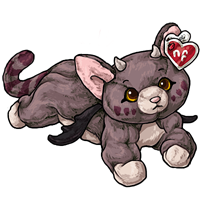
Fun new weird issue thing that I noticed Saturday...Sunday? One of those days.
So....I'm not sure what happened (I don't recall seeing this issue earlier than just a few minutes ago), but the images for items uploaded to the custom clothing queue are out of whack - most notably the icons. They're appearing half size (I think it's half size) of what they are. You can see it in the screenshot below with the item icon for my submitted hair (click or drag the image to the address bar to enlarge). If I right-click and view the image, it opens at the correct size (as you can see in this link).

Drag and drop or click the image to enlarge:


I'm currently having this issue with human avatars in the user hover. It looks like all the HAs in the hover are smaller than the actual HA image (on the forums or on a user's profile) and also blurry.