CSS Updates
Filter
Show Official Posts OnlyReplies

Now I'm getting the font size changes too. Input boxes are too tiny, buy buttons are tiny......
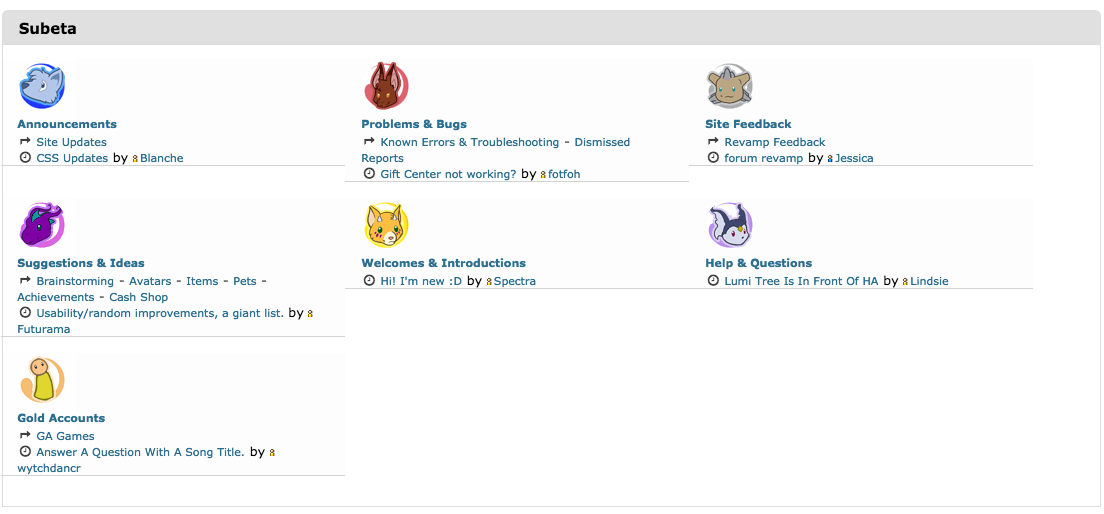
And now the forums index seems messed up...I think (and so is the site width. AGAIN)

advised me that I should post this here..
<p>
 </p>
</p><p>I&;m guessing that maybe it has something to do with the bookmarks you can add to the side of the Subeta pages as I have to scroll down two page lengths to get to the top of the Subeta page, the same length down that my bookmarks usually are..
[IMG]http://i48.tinypic.com/2wmnolt.jpg[/IMG]
Pixel faerie by

XD it's so nice to see I'm not the only one with bookmarks and lots of events/widgets u
But yeah that issue is annoying, I'm not sure whether it's my events (only 86 right this second) or my bookmarks (I have 10 bookmarks, but scroll past more space than that, so I guessed events). The curious thing is that it looks normal when I log on, and it stays normal for a little while, then it breaks. I presume it's when I get new events/start dealing with them in general.
Some event blocks are still trying to overlap each other / refuse to collapse / some blocks are visible on the dashboard where the widgets are. Like the scrolling space, those issues all show up after I've been logged on for a little while and started getting new events or deleting them.
Also, there's some relevant lag and page jumping happening, due to accidental hovering of HAs and lag on trees' loading. It's only smooth after you've loaded the person's tree once... As much as I'd like to be able to hover again and see the HAs back, (and as much as I dislike having the whole tree lag the forums), I have to admit the hovering idea is fancy. c:

Please tell me there's a way to get the old forum home layout. I'm on a 11" MBP, and 3 columns just looks terrible.

I have a bunch of bookmarks and events/ event subjects too...you are not alone! And I am experiencing everything that you mentioned as well.

Curious, does the change mean that custom CSS will be going away or changing that I have to update my coding? My browsing of the site is completely under custom CSS, so I don't see the original site layout at all.
My events are showing up under the event tab and the dashboard tab- but not all of them, just some of them. I have a couple of events floating at the top and middle of my browsing window, and I can't delete them. They're just sitting there like "Hi, sup?" lol. I can't delete forum group mention events- or individual ping events (like directly to me). There is no button at the bottom... and the color has changed as though to say 'hey, I don't work thx'.
Tis odd and I hope it gets pinpointed soon.
Edit: Oh! Also, dunno if this has ever been brought up, or if I'm the only one... but any time I'm on the custom wear page to submit an item- and am putting in the user names and prices for the item to be paid via batch- when I hit the 'tab' button- it makes the entire page jump down to the bottom of the page- instead of staying where I am on the page. It's been doing it for awhile now actually.... not sure if that would be related to anything.

The your gifts page in the gifts center looks awful. Everything's in one long column, causing massive scrolling and there's no buttons, only clickable links.
Haha, yay! It's great to see I'm not crazy XD Whenever something like this comes up, I usually think "...this has something to do with my events, doesnt it? -sigh- Let's hope it's not the events..." But it is just so much easier to navigate the site / keep track of things with them ;-;
pretty sight of my events actually overlapping

In this case, it curiously looks like the "custom clothing" box didn't come down properly to accomodate for other boxes going up due to new events. Because of that, it overlapped not only the "profile comments" box that was immediately above it, but also overlapped itself. Kind of amusing...
[edit] Well ok it'll be there whenever my image host stops acting up ._.
whispering so the pissy Subeta gods don't hear me I no longer have the big block of white space at the top of each page :) and my font while typing this is back to normal as well. This makes me happy! Hopefully this is permanently fixed so when I get home to my laptop I can do some Luminaire shopping without wanting to scream at my screen.

google crome
SPOILER (click to toggle)
[IMG]http://i62.tinypic.com/211or2s.png[/IMG]
[/img]
Not really a terrible thing but the quest items are over Carl so you cant read the name properly. Not a big issue with being able to shop search but it is an error :p
Oh, forgot to say, using Chrome.
Also, getting more events floating at the top middle of my screen. Some events are also at the very bottom of the side panel, below where the other pages end, like after this forum entry box, there are events on the side, just below it, but there's nothing between, just a bunch of space.
Odd... and irritating. Worried the events in the top middle will soon be covering everything, cuz they can't be deleted. 8(
quiet under breath grumbling...at home on the laptop and I still have the massive wall of white at the top of each page >(
The block of color had disappeared but is back again early today Subeta time.. Here is a link to my original post.. ">click
[IMG]http://i48.tinypic.com/2wmnolt.jpg[/IMG]
Pixel faerie by

or
I'm sorry if this was the wrong thread, its' been awhile. But I believe the delete alert button happened the same time as these updates.
Any word yet on when that might be fixed? The delete button has been broke for quite some time. Since you either have to delete the oldest to newest or all of one section, it makes it very hard to keep an event for any length of time. Plus I keep hitting the button on accident, expecting it to delete the event it is next too, and loose whatever one I had at the end.
Headshot by