Luminaire Site Layout Gone
Filter
Show Official Posts OnlyReplies

Tried clearing my cache and doing a hard refresh but the images are still missing. Using Firefox 33 on Ubuntu 14.04.

This was reported on the 8th. It's now the 26th and mine is still broken. I wouldn't care, but I deleted 1000 fairies for this layout.
Is it still broken for anyone else or just me?

Mine's still broken too.
I hope it gets fixed sooner rather than later. It's my favorite layout this time of year. :)
Ahh ok. No one had posted here for a bit and I wasn't sure if it was still an issue for some of us. I hope they figure it out soon too :)
Sending this to the top again so maybe someone will actually do something about it.

I was just about to make a topic about this. So happy I decided to look first. :/
Anyway I decided to switch to the Luminaire layout this morning, now that Morostide is officially over. But it looks as if it doesn't load completely. It doesn't fix itself no matter how many times I refresh or change the layout.

But it worked for me last Luminaire just fine, as far as I remember.
I use Chrome and am fully updated.
I really hope this can be fixed before Luminaire actually arrives. I spent a lot of time and sP to unlock it, and I'd like to be able to use it during this time of the year. It's really disappointing that this was acknowledged by almost a month ago and it still isn't fixed and staff hasn't posted again. It's really, really disappointing. Can we get a fix for this, please?

I just got the 'Free all the Fairies!' achievement and checked the Luminaire layout. Mine's also a blank beige background.

It's not working for me either, and I have used it on previous years. I'm using Chrome.
Hope this can be fixed soon, please?! :)

I've given in and added some customCSS to make it show up - I got fed up with the blank space!
If anyone else wants it, the coding is:
-ban-main {
background-image: url(http://img.subeta.net/layouts/luminaire/images/header.png);
}
 {
background-image: url(http://img.subeta.net/layouts/luminaire/images/postcards.png);
}
For some reason, it doesn't seem to work if it's the first thing in the customCSS, but works fine if it comes after something else o.O
;)
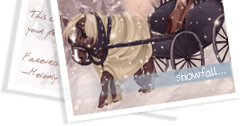;)
It's not ideal, but at least it's a temporary fix, until one of the programmers changes the image links in the layout, so the images reappear!

My CW shop ~ forumset by [/font]

Does it really take a month to change some image links, if that's all what the problem is?
I'm sorry if this sounds snarky, but I'm getting the feeling we're slowly drifting back into the time before Seerow's thread. Then suddenly the staff "woke up" and started fixing the little things, but now, it seems to be sliding down again.
Thank you for the temp fix, it definitely looks better than a blank space!
Thank you!!! The drop down bgs and event/dashboard toggles are still blank, but that big gap at the top is what was really annoying. I can live with this for now :)
It's the only layout that doesn't make my eyes bleed!

yeesh, has this really not been fixed yet? it's actually been broken for like over or around 2 months now ;_; i noticed it foreeeever ago but figured it was just my computer being dumb. /casually complains to keep this alive
at this point, we have every right to sound a bit snarky. The killer is that when this thread was towards the top of the Bugs forum about a week 1/2 ago, there were staff/programmers posting and fixing things in other threads above and below this one. I remember all the little red user icons lol. This one seemed to be ignored for some reason :/ I'm talking weeks after Keith posted here.
I thought it was some kind of huge overhaul/complicated fix stalling it; but the fact that Paddy's code worked leads me to believe that it is indeed just faulty image links.
Yeah, this is a REALLY simple fix, just like the one for the Ice Fields (the 'set alert' link only showing up once you leave and come back) but both have been ignored for far too long. The Ice Fields one is annoying, but one of the site's unlockable layouts being completely broken and the issue just being that the images are stored in the wrong place? Come on.

Thank you for this - was just coming on the forums to see if anyone else was having the same problem! The quick fix will tide me over until the team can get the layout fixed :)
- - -

Me too I've just spent the whole weekend and a ton of sp, getting the achievement in case it was retired, only to find it doesn't work. Maybe they're going to make it shiny and new? I've never even seen it :0( Thank you I've used your code, and its lovely! they could give you a job 😉

Thank you for the CSS - but unfortunately any time I encounter a bug on the site I'm asked to remove my custom css to make sure that fixes the new bug so I'm not going to put it in.
I wish Staff would just bloody fix it.
[Center][Url=https://www.youtube.com/user/ShutupandLetsPlay4]Shut up & Lets Play! Youtube Channel[/url][/center]
Is anyone else missing the background for the navigation bar for the Delphi Beach layout now? X:

This is what it looks like for me.
[edit] I keep giving up changing my avatar because all of a sudden all the images will stop showing. This happens in both the regular and beta wardrobes. Is there a problem with all the images on the site or something?
[edit] The background came back, but it's still an ongoing issue that is disappears. Same with the item images.