make new wardrobe less scrolling & HA side-by-side with items
Filter
Show Official Posts OnlyReplies

posting my suggestion here like keith suggested! overall, stoked with new wardrobe updates!
however, one feature that's really important to me is the ability to see the HA side-by-side with the items while i'm looking at the items. i know there are a lot of new things on this page, but scrolling up to the top of the page to see the items i've put on my HA is really... unpleasant. like, i won't use the wardrobe level of unpleasant. also, the preview being at the bottom, beneath the item layers, is kind of... weird. if you're hovering over the items on the top row, you can't see that preview at all. i thought the preview feature was completely gone at first lol i think an easy fix is just returning to a layout closer to the one that we had before. i also think it could be a decent idea to have the "currently wearing" section collapsible. if you're going to keep 120 items visible per page, having the HA preview and the item hover preview "sticky" while you scroll would be extremely helpful.
when i open the wardrobe, i can only see the top 2 rows of items while still being able to see my full HA https://i.imgur.com/yYBQrJZ.png
also, a pagination with numbers like the previous wardrobe had would be nice, since i sometimes want to go closer to the end of my items for a certain layer to find an item i know i've had a long time. right now, i'd have to manually click through like 5-10 pgs to get to the older items i'm looking for (even with the 120 items per page, i am at 16 pages of wigs for example lol)


thank you for the screenshot! i think that's the 'tablet' screen size, which i honestly haven't put much work into. will get things ordered and moved around and see if that looks nicer to you.
the pagination is hard - it is really, really much faster to do pagination this way and is an 'expensive' query to have the number of pages. i'll try to get a last/first, but really hope folks can lean on using the new smart drawer system for stuff too
💖 ✨ 🤗
oh, yeah, i use a laptop that is probably 14 inches? so definitely not as big as a real computer monitor, but... it is a little rough to use on my smaller screen T_T happy to provide any other screenshots, but i did a quick screen recording here totally understand about the page numbers. not the end of the world either way, the scrolling and items are a much bigger deterrent for me, the page numbers are just a nice to have.
it should 🤞 look much nicer for you now!
💖 ✨ 🤗

This has worked much better for my screen as well (I can see outfit tools now!)--however, like the preview and HA aren't scrolling with me.
I used to have a bunch of whitespace at the bottom of my wardrobe page (that scrollbar at the very top is the wardrobe scrollbar, lol!):
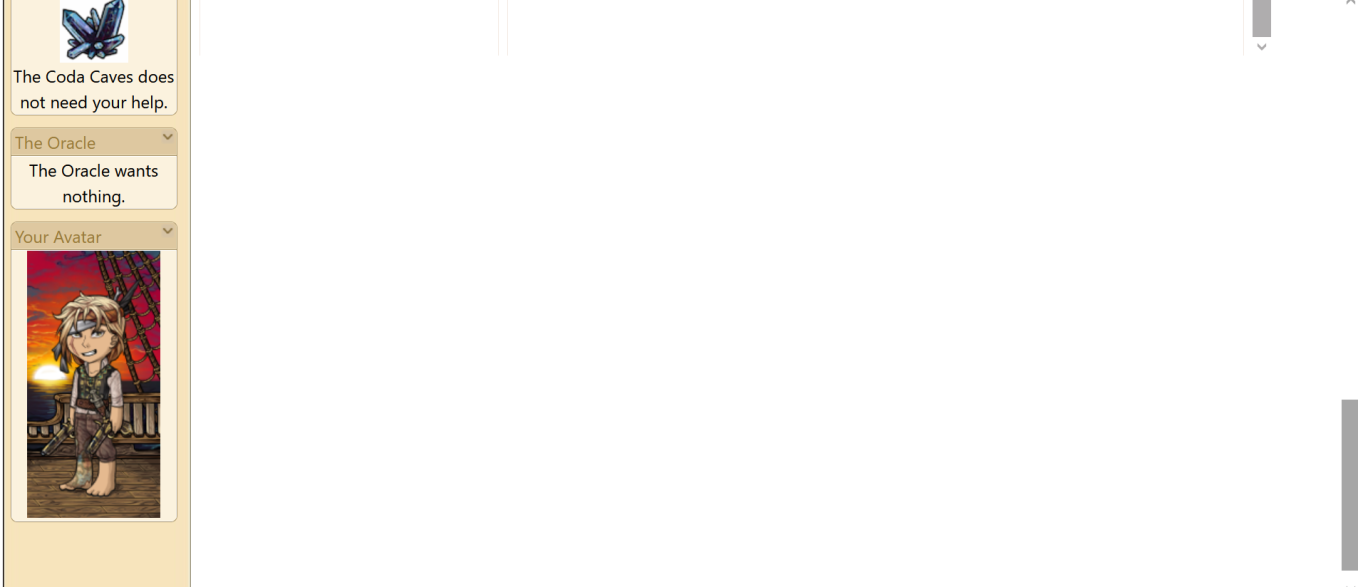
Now, although the wardrobe goes to the bottom of the page, it appears to actually go just a smidge past the edge of the page, cutting off the bottom edge of item images and hiding the pagination:
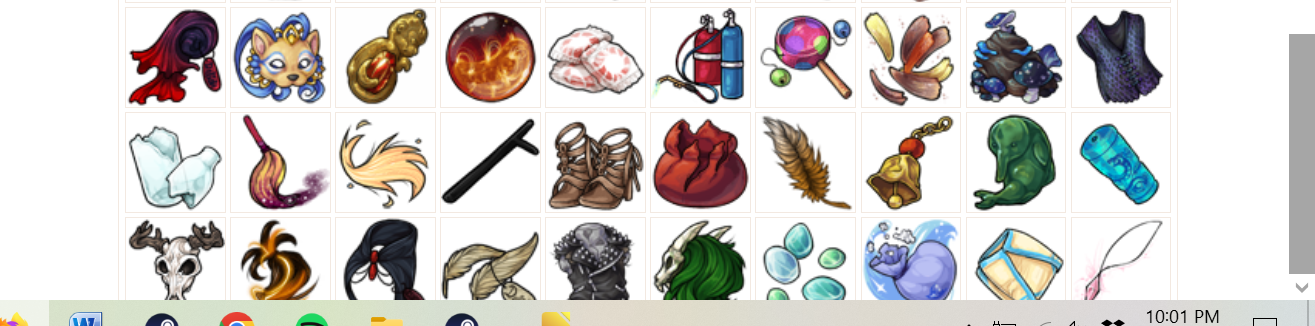
I can see pagination/ the bottom of images if I zoom out to 90%, but I'd prefer not to be constantly adjusting my zoom size.
 they/them/theirs, please.

Happy to see the side-by-side previews. I had briefly tried beta a couple weeks ago and also thought the item preview was missing.
-
Can the HA preview remain visible at all times and just be a blank model if not actively previewing an item? Right now, it's causing an annoying flickering when you mouse over the Currently Wearing list because the preview model changes the height of the HA section (with the word preview under the HA).
-
On the search bar, the icon is overlapping with the Search items.... text.
-
The More layers dropdown isn't working. I see no dropdown and after I click the button, I can no longer scroll up or down on the screen. I'd actually prefer all the layer options to be in a dropdown like they used to be. I have the same problem and preference with the drawers selection as well.
-
The advanced filters take up a lot of space with the colors being a fully vertical list. Can these be arranged in a grid?
-
One of the things that I liked about the old wardrobe was the minimal/lack of legacy navigation ui: no sidebar, no bookmarks, the kumos minimal header. It gave the wardrobe interface more room to breathe, and the new wardrobe is feeling a little cramped. Is there a way to create a toggle for something like a focus mode that hides the sidebar and bookmarks and reduces the top header to mostly the menu options - but only for the wardrobe page? I know there is a Toggle Sidebar button, but that applies globally. I realize this one may be a tall request that is a lot of effort for minimal payoff.

That's how the new wardrobe is for me as well (I watched the recording video) because I always use mobile to access Subeta (my laptop is old and it struggles).
I don't like how many times you gave to scroll and I also don't like how the HA preview is at the bottom. I love the old wardrobe layout and the HA being on the left side with all the items showing.
The old wardrobe was simple and clean looking and that's what I loved about it. It also had less scrolling and felt more organized.
🌹 Beloved Brother 1989-2018 (10/17 - 02/19)
Grammy 1937-2021 (11/14-10/28) 👼