Dark theme to turn pages black instead of white
Filter
Show All PostsReplies

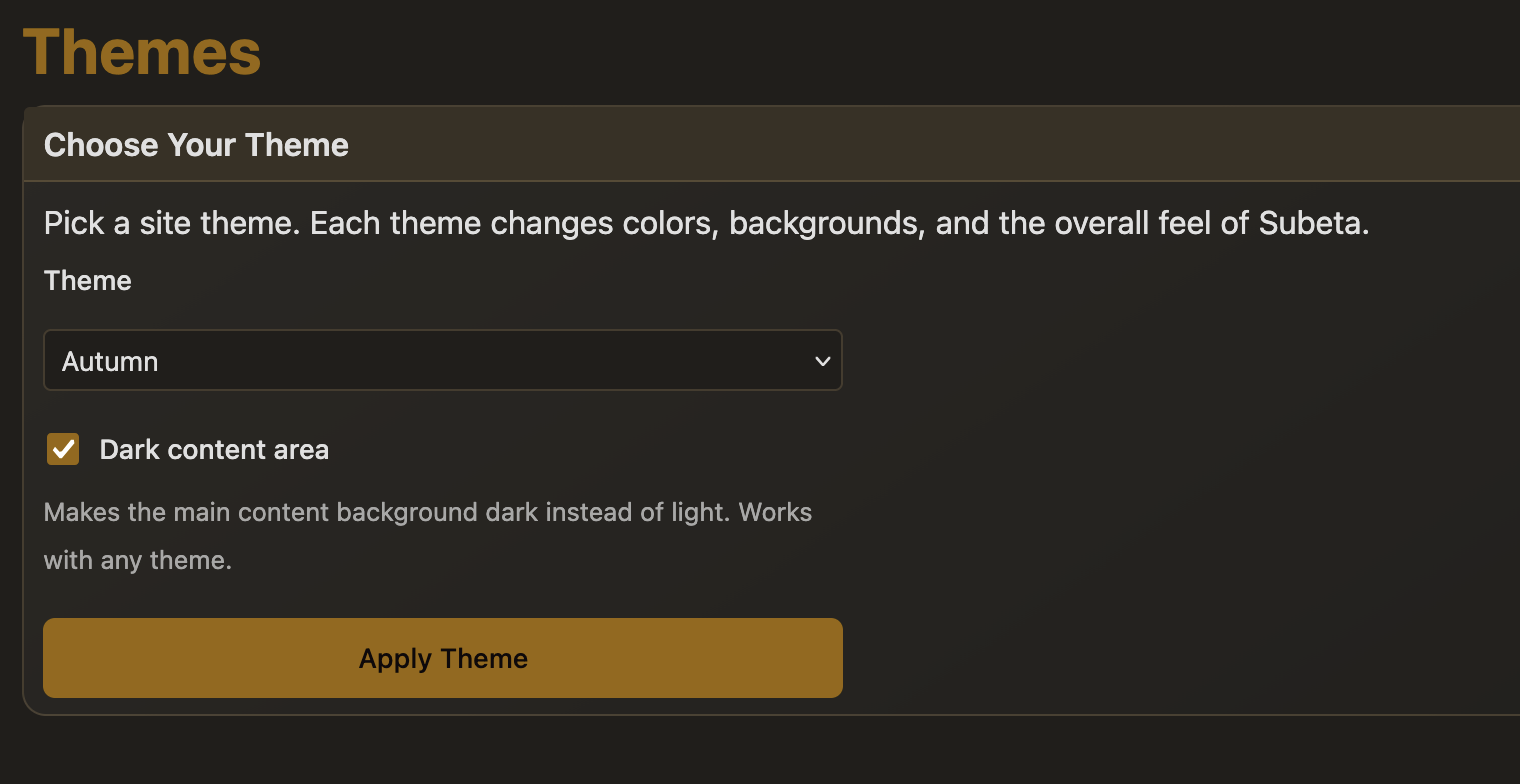
This is live now! Head to Dashboard > Themes and you'll see a new "Dark content area" checkbox. Check it and hit Apply Theme.
It works with every theme - it flips the main content background to dark while keeping all the theme's colors and personality. On modern browsers, the dark background even picks up a subtle tint from your theme (so Shadowglen gets a purple-tinted dark, Morostide gets an orange tint, etc.).
If you're on an older browser or device, you'll still get a clean neutral dark. Should be much easier on the eyes.
Let me know how it looks on your favorite themes, happy to tweak things if anything feels off. Some pages are for sure going to need some tweaks, especially depending on how old they are.
💖 ✨ 🤗
Thanks folks, keep them coming - I'll knock those out today. This kind of change will probably take a few passes.
As for the blinding white of the item images, that's why we've always avoided having a real dark mode on Subeta - there just isn't anything we can do about those items from 20 years ago having white backgrounds, or most of our NPCs before we switched to transparent PNGs :(
💖 ✨ 🤗